
Running a genuine, reasoning-capable Artificial Intelligence model completely offline on a smartphone used to sound impossible. With the release of Qwen3.8-2B-GGUF, local on-device AI reasoning has arrived on Android — allowing you to chat, code, and solve complex problems with 100% data privacy, zero subscriptions, and no internet connection required.
In this step-by-step tutorial, we demonstrate the two best ways to run Qwen3.8-2B on your Android device: Method 1 (PocketPal AI) for an instant, zero-coding mobile app experience, and Method 2 (Termux + llama.cpp) for developers who want full compilation control, custom sampling flags, and local API server hosting.
<think> blocks learned from a 2.4T teacher model.What Is Qwen3.8-2B-GGUF?
Qwen3.8-2B-GGUF is a specialized mobile distillation created by AI research lab Empero. Rather than training a small model from scratch, researchers used a massive 2.4-trillion-parameter teacher (Qwen3.8 2.4T A95B) to teach a compact 2-billion-parameter student (Qwen3.5-2B architecture) using over 30,000 curated chain-of-thought traces.
This distillation process dramatically improved the model’s problem-solving depth, boosting its GSM8K mathematical benchmark score from 33 to 64. Additionally, the model utilizes a hybrid architecture featuring three Gated DeltaNet linear layers for every full-attention layer, drastically reducing memory bandwidth demands on mobile chips.
Hardware Requirements & RAM Recommendations
Before proceeding, verify that your smartphone meets these baseline specifications:
| Component | Minimum Spec | Recommended Spec |
|---|---|---|
| RAM (Memory) | 4 GB Total (2.5 GB Free) | 6 GB – 8 GB+ RAM (Smooth generation) |
| Free Storage | 2.5 GB Free Space | 4 GB+ Free Space (For GGUF weights + tools) |
| Operating System | Android 7.0 (Nougat) | Android 10 to Android 15 |
| Processor | 64-bit ARM (aarch64) | Snapdragon 7/8 Series, Dimensity 8000/9000+, Tensor G3/G4 |
Method 1: Running Qwen3.8-2B via PocketPal AI (Beginner Route)
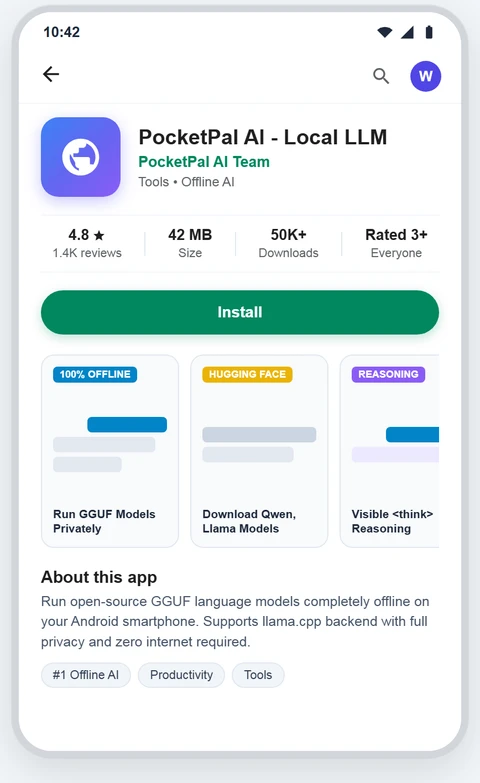
If you want a modern, ChatGPT-like interface with zero terminal commands, PocketPal AI is the best standalone GGUF runner for Android.
Install PocketPal AI
Download and install PocketPal AI from the Google Play Store or get the APK release directly from GitHub:
Search for Qwen3.8-2B on Hugging Face
Launch the app, tap the Menu (☰) > Models > + (Add Model), and type:
empero-ai/Qwen3.8-2B-GGUF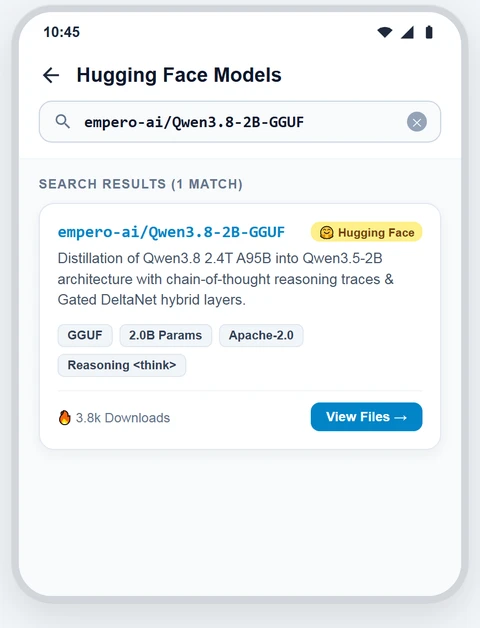
Choose Your Quantization & Download
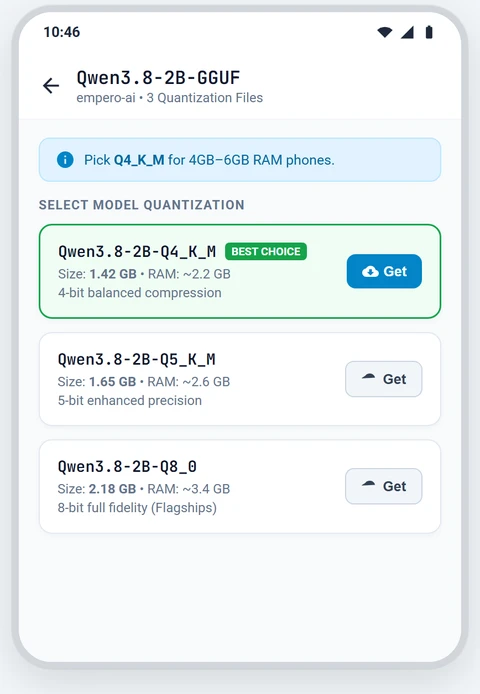
Select the quantization that matches your phone’s memory:
- Q4_K_M (~1.4 GB): Recommended Default for 4GB–6GB RAM devices.
- Q5_K_M (~1.6 GB): Slightly higher accuracy for 6GB–8GB RAM devices.
- Q8_0 (~2.1 GB): Maximum quality for 8GB+ RAM flagship phones.
Tap Download and keep your phone on Wi-Fi until the progress reaches 100%.
Load Model & Start Chatting
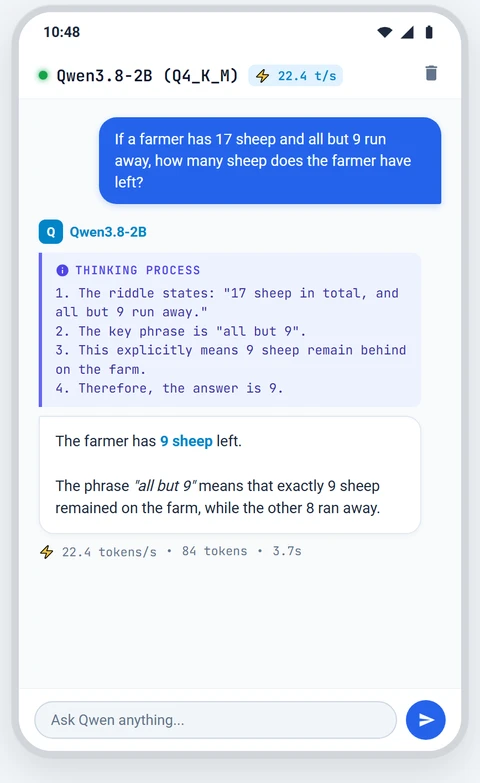
Tap Load, navigate to the Chat screen, and enter your prompt. The model will stream its chain-of-thought reasoning inside a <think> box before displaying its final answer.
Recommended Settings: In the app settings, set Temperature: 0.6, Top-P: 0.95, and Top-K: 20.
Method 2: Running Qwen3.8-2B via Termux + llama.cpp (Power User Route)
For developers and power users, compiling llama.cpp inside Termux guarantees direct access to the latest upstream Gated DeltaNet engine, custom memory flags, and local HTTP server hosting.
📖 Step 0: Ensure Termux is Properly Installed
Due to Google Play SDK restrictions, the Play Store version of Termux is deprecated. Make sure you have installed the official F-Droid build with storage permissions configured before proceeding.
Read Our Complete Termux Installation Guide →Update Packages & Configure Storage
Open Termux and run the initial update and storage commands:
pkg update && pkg upgrade -y
termux-setup-storageInstall C++ Build Toolchains
Install the required compilation packages (Clang, CMake, Git, Wget):
pkg install -y git cmake clang wget libandroid-spawnClone & Compile llama.cpp
Compile the latest llama.cpp repository directly on your device:
git clone https://github.com/ggml-org/llama.cpp
cd llama.cpp
cmake -B build
cmake --build build --config Release -j 4
Note: Compiling takes about 10–15 minutes on most smartphones. Executables will be located in ~/llama.cpp/build/bin/.
Download Qwen3.8-2B GGUF Weights
Download the official Q4_K_M quantization from Hugging Face:
wget https://huggingface.co/empero-ai/Qwen3.8-2B-GGUF/resolve/main/Qwen3.8-2B-Q4_K_M.ggufLaunch Interactive CLI Chat Session
Start chatting in the terminal using Empero’s official sampling settings:
./build/bin/llama-cli -m Qwen3.8-2B-Q4_K_M.gguf --temp 0.6 --top-p 0.95 --top-k 20 -c 4096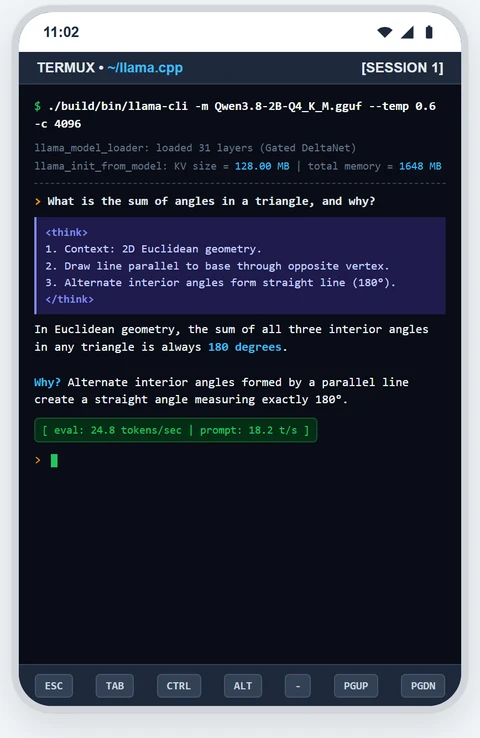
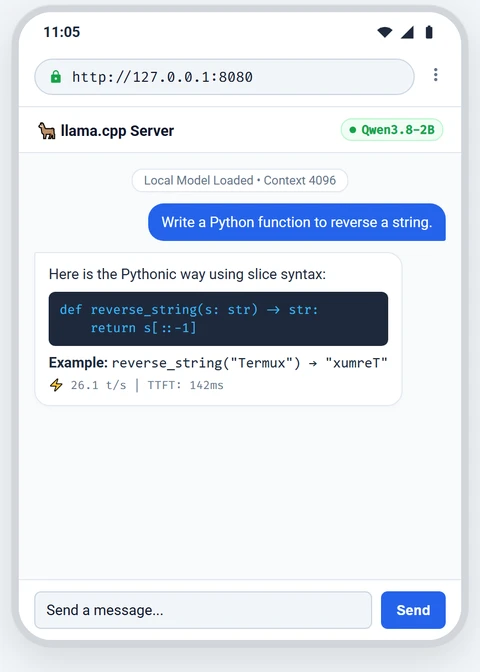
(Optional) Host Local AI Server on Port 8080
Host an OpenAI-compatible web server on your phone:
./build/bin/llama-server -m Qwen3.8-2B-Q4_K_M.gguf -c 4096 --host 127.0.0.1 --port 8080Open your mobile browser to http://127.0.0.1:8080 to access the built-in web chat UI, or connect frontend apps like GPTMobile.
Method 1 vs. Method 2: Which Should You Use?
| Feature | PocketPal AI (Method 1) | Termux + llama.cpp (Method 2) |
|---|---|---|
| Difficulty | ⭐ Beginner (Zero coding) | ⭐⭐⭐ Intermediate (Terminal compilation) |
| Setup Time | ~5–10 Minutes | ~20–30 Minutes |
| Gated DeltaNet Support | Requires app updates | ✅ Always latest (Compiled from source) |
| Local API Server | ❌ No | ✅ Yes (OpenAI-compatible server) |
| Custom Parameters | In-app sliders | Complete CLI flags |
Troubleshooting Common On-Device AI Issues
cd ~/llama.cpp && git pull && cmake --build build --config Release -j 4 to recompile.-c 2048), close background apps, and set Termux battery usage to Unrestricted.Frequently Asked Questions (FAQ)
No. Running inference generates CPU load and warmth during active response generation, similar to playing a 3D mobile game, but it does not harm your battery. CPU usage drops to idle immediately once generation stops.
Yes, provided you have sufficient RAM. 4B models require at least 8GB RAM, while 7B models need 12GB to 16GB RAM. For most smartphones, the 2B model provides the best balance of speed and reasoning.
No. Neither PocketPal AI nor Termux requires root privileges. Both execute within standard Android user permissions.