
Termux is a free and open-source terminal emulator and comprehensive Linux environment for Android devices that requires zero root access. Unlike traditional terminal apps that only offer basic shell wrappers, Termux provides a full Linux user-space environment complete with a dedicated APT/PKG package manager, standard compilers, and multi-shell capabilities right on your smartphone.
Whether you are a developer compiling C/Python code on the go, a sysadmin managing remote servers over SSH, or a tech enthusiast exploring command-line utilities, Termux transforms your Android phone or tablet into a portable development workstation.
pkg and apt commands.Prerequisites & System Compatibility
Before installing Termux, ensure your Android device meets the following basic requirements:
- Android OS Version: Android 7.0 (Nougat) or higher (Android 10, 11, 12, 13, 14, and 15 fully supported).
- Processor Architecture: ARM (armeabi-v7a), ARM64 (aarch64), x86, or x86_64.
- Free Internal Storage: At least 250 MB free disk space for the base system (1 GB+ recommended if installing compilers or Python).
- Root Permissions: Not required. Termux runs completely in Android user space.
How to Install Termux on Android (Step-by-Step)
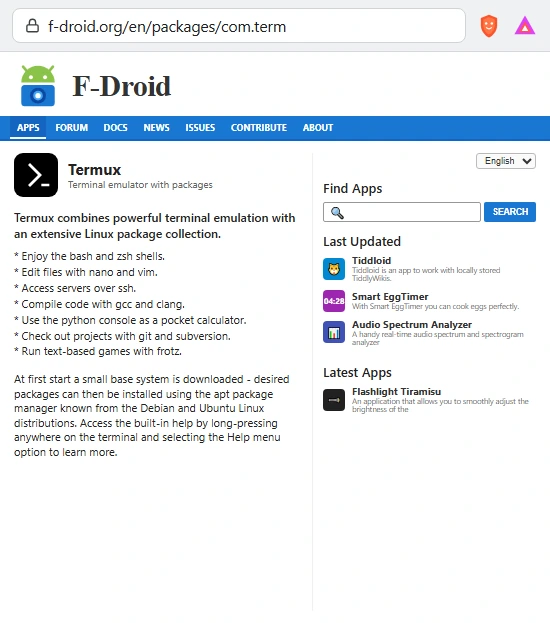
Visit the F-Droid Termux Package Page
Open your mobile browser (such as Chrome, Brave, or Firefox) and navigate to the official Termux page on the F-Droid repository: https://f-droid.org/en/packages/com.termux/
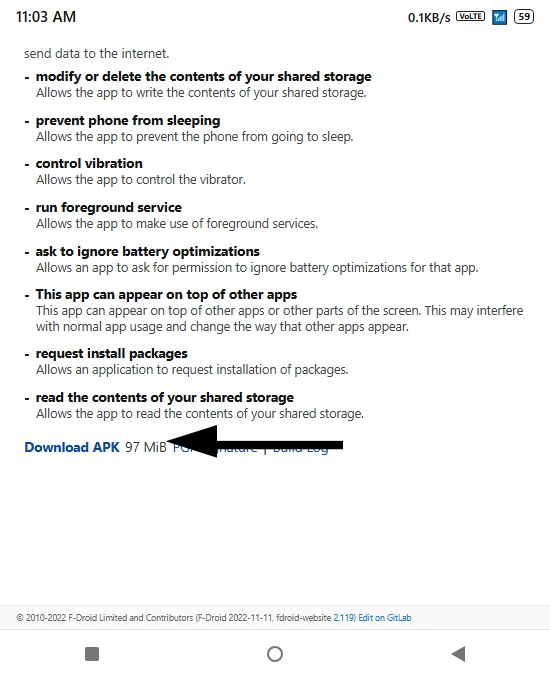
Download the APK File
Scroll down past the permissions overview to the Packages section. Tap on the Download APK link (approximately 97 MB).
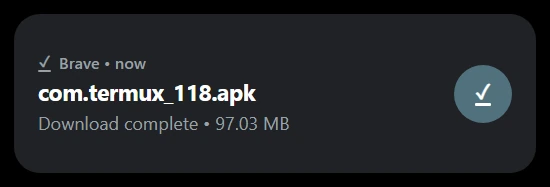
Install the Downloaded APK
Once the download finishes, tap the notification or open your device’s Downloads folder. Tap com.termux_118.apk to start installation. If prompted by Android security, toggle “Allow from this source” to permit third-party app installations.
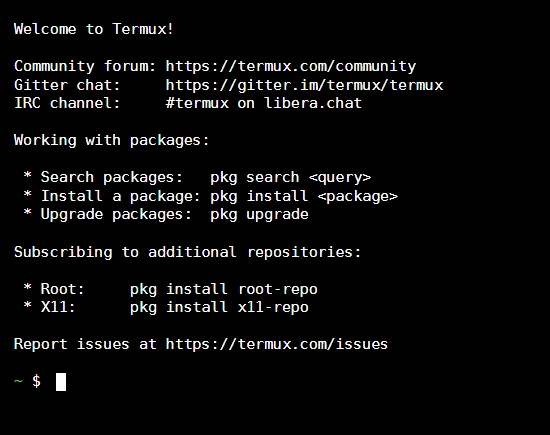
Launch Termux & Initialize Environment
Open the Termux app from your app drawer. On first startup, Termux will unpack and extract essential bootstrap packages into its local container. In a few seconds, you will be greeted by the Termux welcome screen.
Update and Upgrade Package Lists
Before installing any software, refresh the repository index and upgrade pre-installed utilities to their latest versions by executing:
pkg update && pkg upgrade -yIf prompted during package configuration regarding modified config files, press Y or Enter to accept default settings.
Configure Device Storage Permissions
By default, Termux is sandboxed inside its own private app directory. To grant Termux read and write access to your phone’s internal storage (Downloads, DCIM, Documents), run the storage setup script:
termux-setup-storage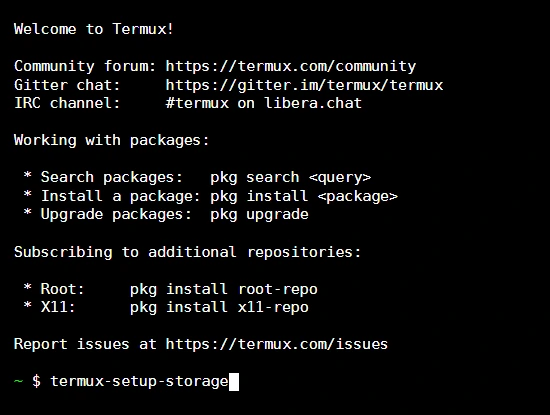
Confirm Storage Permission Dialog
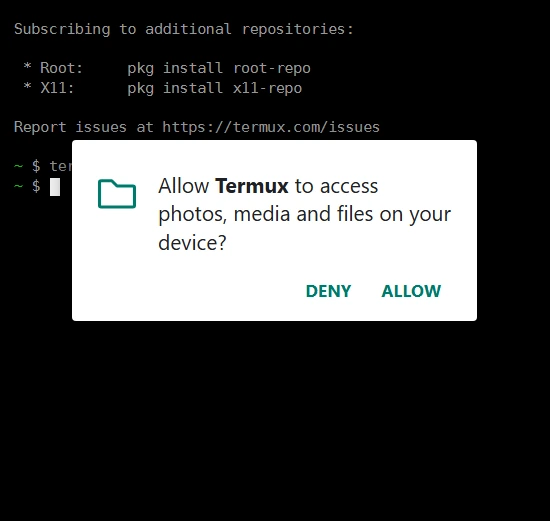
An Android system permission dialog will appear requesting access to photos, media, and files on your device. Tap Allow. This creates a symlink directory located at ~/storage/shared that links directly to your internal storage.
Essential Linux Commands Demonstration in Termux
Once your environment is set up, practice these fundamental Linux commands to navigate and manage files directly inside Termux:
Displays the absolute path of the directory you are currently working in. By default, your home path is /data/data/com.termux/files/home:

Instantly creates a new, empty file in your current working directory without opening an editor:

Displays all files, folders, and symlinks inside the active folder. Notice that directories appear in purple/blue and files in white:

Creates a new folder or directory hierarchy to organize your scripts and projects:

Navigates between different directory locations. Notice how the green shell prompt updates to display your new folder location:

Troubleshooting Common Termux Issues
1. Fixing “Repository Under Maintenance” or 404 Package Errors
If you encounter E: Repository '...' is not signed or 404 Not Found when running pkg update, the default mirror might be temporarily offline. You can switch to an active global mirror using the interactive mirror tool:
termux-change-repoSelect Main repository, choose Mirrors by Grimler or A1RM9, and press OK to automatically reconfigure your package sources.
2. Fixing Background Process Killing on Android 12, 13, and 14
Modern Android versions include a Phantom Process Killer that aggressively shuts down background terminal tasks using significant CPU. To prevent Termux from closing unexpectedly while compiling code or running servers:
- Go to device Settings > Apps > Termux.
- Under Battery, select Unrestricted (disable battery optimization).
- Lock Termux in your Recent Apps switcher.
Automated Development Setup Script (setup_termux.sh)
To avoid manually installing common development packages one by one, copy and execute this automated setup script. It updates repositories, configures storage, and installs Python, Git, C/C++ (Clang), CMake, PRoot Distro, and OpenSSH in a single step:
#!/data/data/com.termux/files/usr/bin/bash
# 1. Update and upgrade repositories
pkg update -y && pkg upgrade -y

# 2. Grant Storage Access
termux-setup-storage

# 3. Install core development toolchains
pkg install -y curl wget git build-essential clang cmake python python-pip nano proot-distro openssh

# 4. Configure Python
python -m pip install --upgrade pip setuptools wheel
Related Android Guides & Tutorials on The Upgrade Guide:
- Looking to upgrade or flash your Android firmware? Explore our complete Android Custom ROM & Upgrade Guides for LineageOS, AOSP, and Pixel Experience.
- Interested in camera optimizations? Check out our latest Google Camera (GCam) Port Installation Guides for popular Android smartphones.
- Upgrading to Android 15? Read our walkthrough on Installing Android 15 (LineageOS 22) on OnePlus 12.
Frequently Asked Questions (FAQ)
Starting with Android 10 (target SDK 29), Google Play enforces strict W^X (Write XOR Execute) security policies that prevent regular apps from executing downloaded native binaries inside application data directories. Because executing binaries is the core functionality of Termux, the developers migrated official releases to F-Droid and GitHub.
Yes. F-Droid is the official, trusted open-source repository for Termux. Builds on F-Droid are compiled directly from source code and verified with PGP signatures.
Yes! Using the proot-distro package, you can install and run complete Linux distributions such as Ubuntu, Debian, Arch Linux, and Alpine inside Termux without rooting your phone.
After running termux-setup-storage and granting storage permission, your device’s internal storage is accessible under the directory ~/storage/shared.