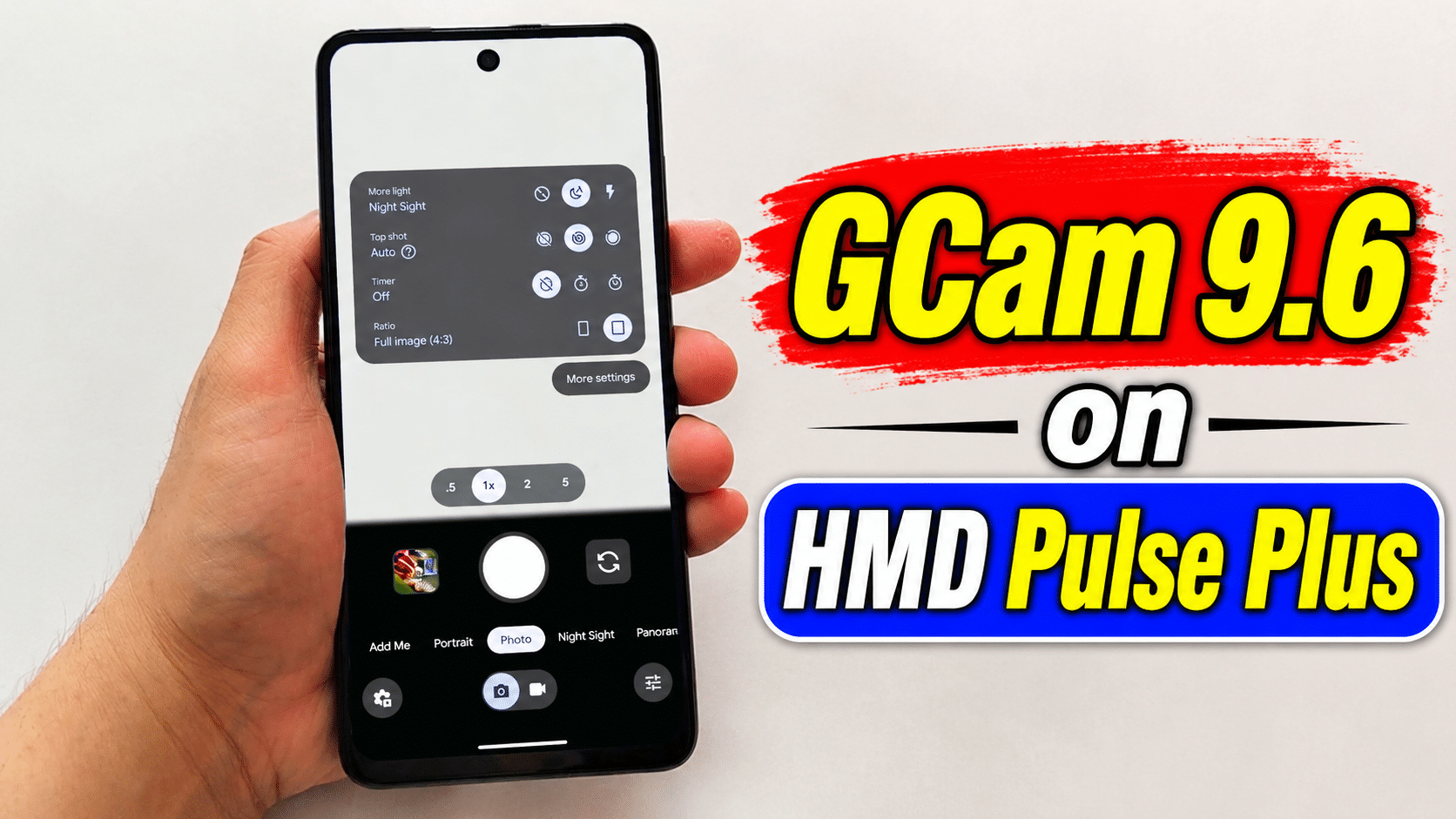
The HMD Pulse+ stands out as a robust mid-range powerhouse, featuring a versatile 64MP Sony IMX682 main sensor driven by the efficient Snapdragon 720G chipset. While the stock camera interface offers basic functionality, it fails to fully exploit the potential of this dual-lens array for high-fidelity imagery. That is precisely where GCam 9.6 intervenes. By installing the latest Google Camera 9.6 mod on your HMD Pulse+, you activate Google’s sophisticated computational photography suite — including HDR+ Enhanced processing, Night Sight for significantly brighter low-light captures, and refined Portrait Mode with precise edge detection. The Snapdragon 720G’s Hexagon DSP manages GCam’s intensive image processing remarkably well, establishing this as one of the top Android devices to experience Pixel-grade photography without a premium price tag. Whether you are documenting urban landscapes at dusk or capturing crisp macro details, GCam 9.6 will fundamentally transform the way your HMD Pulse+ takes pictures.
Searching for the latest GCam 9.6 APK download for HMD Pulse+? Google Camera 9.6 delivers Pixel 9-level photography to your device — including Underwater Mode, Vertical Panorama, Night Sight, and Astrophotography — all without requiring root access. In this comprehensive guide, you will find direct download links for the best GCam 9.6 mod ports (BSG, BigKaka, and Shamim), a complete installation walkthrough tailored for your HMD Pulse+, and essential troubleshooting tips to ensure seamless operation.
What Is GCam 9.6?
Google Camera 9.6 (also called Pixel Camera 9.6) is the camera update originally rolled out with the October 2024 Pixel Feature Drop. It optimizes image processing for Android 15 and introduces specific utility features that were previously exclusive to the Pixel 9 series.
While the official app is designed only for Pixel phones, modded “Port” versions created by talented developers like BSG, BigKaka, and Shamim allow these features to work on non-Pixel devices — including the HMD Pulse+. With the right GCam mod, your HMD Pulse+ can produce photos that rival flagships costing three times as much.
🆕 Why Upgrade to GCam 9.6?
- ✅ Brand-new Underwater Mode for true-color water shots
- ✅ Vertical Panorama for tall buildings & waterfalls
- ✅ Optimized for Android 15 stability
- ✅ Enhanced Astrophotography shortcut
- ✅ New 5-second timer option
🔥 Why HMD Pulse+ Users Love GCam
- 🔥 Unlocks the full potential of your camera hardware
- 🔥 Dramatically better Night Sight vs stock camera
- 🔥 Superior HDR+ processing for balanced exposures
- 🔥 Improved Portrait Mode edge detection
- 🔥 No root required — just install and shoot
New Features in Google Camera 9.6
GCam 9.6 brings exciting headline features alongside powerful under-the-hood improvements. Here’s everything that’s new — and all of it works on your HMD Pulse+:
Underwater Mode
Auto color-corrects underwater photos & videos to remove blue/green tint
Vertical Panorama
Redesigned Panorama UI for capturing tall buildings & waterfalls
Astro Shortcut
Manual slider in Night Sight to instantly trigger Astrophotography mode
5-Second Timer
New middle-ground timer option between 3s and 10s
Night Sight
Refined low-light algorithms for even brighter, clearer night photos
Quick Access Controls
Adjust White Balance, Brightness & Shadows directly from the viewfinder
Config/LUT Support
Load .agc or .xml config files for custom color grading profiles
Android 15 Optimized
Full stability and compatibility with the latest Android 15 builds
[the_ad id=”6712″]
Top GCam 9.6 Mod Developers
Different modders create different “flavors” of GCam 9.6. Each is optimized for certain devices. Here are the three you should know for your HMD Pulse+:
🏆 BSG (MGC)
The “universal” port. Most stable for the widest range of phones. Ideal for All & POCO devices including the HMD Pulse+.
🔥 BigKaka (AGC)
Most active for 9.x series. Deep customization with LUT color grading support and advanced controls.
⚙️ Shamim
Great for tinkerers wanting specific sensor ID control. Useful for devices like the HMD Pulse+ that benefit from custom configs.
Important Notes Before Installing GCam 9.6 on HMD Pulse+
If the APK crashes or doesn’t work on your HMD Pulse+ — don’t worry! Follow these steps to fix it:
[the_ad id=”193″]
Download GCam 9.6 APK for HMD Pulse+
Choose the latest GCam 9.6 version below for your HMD Pulse+. We recommend starting with the BSG (MGC) build for the widest device compatibility.
⬇️ GCam 9.6 for HMD Pulse+ — Pick your preferred build
[the_ad id=”193″]
Video Installation Guide
Watch the step-by-step video tutorial below for a visual walkthrough on how to install GCam 9.6 on your HMD Pulse+. You can safely ignore the config file section if configs are not available in the download section above.
[the_ad id=”6712″]
How to Install GCam 9.6 APK on HMD Pulse+
Download the GCam 9.6 APK
Download the GCam APK file from the links above. We recommend starting with the BSG (MGC) build for your HMD Pulse+. If it doesn’t work, try the BigKaka (AGC) version.
Enable Unknown Sources
Tap on the APK file. If prompted, enable “Install from Unknown Sources” for your file manager or browser.
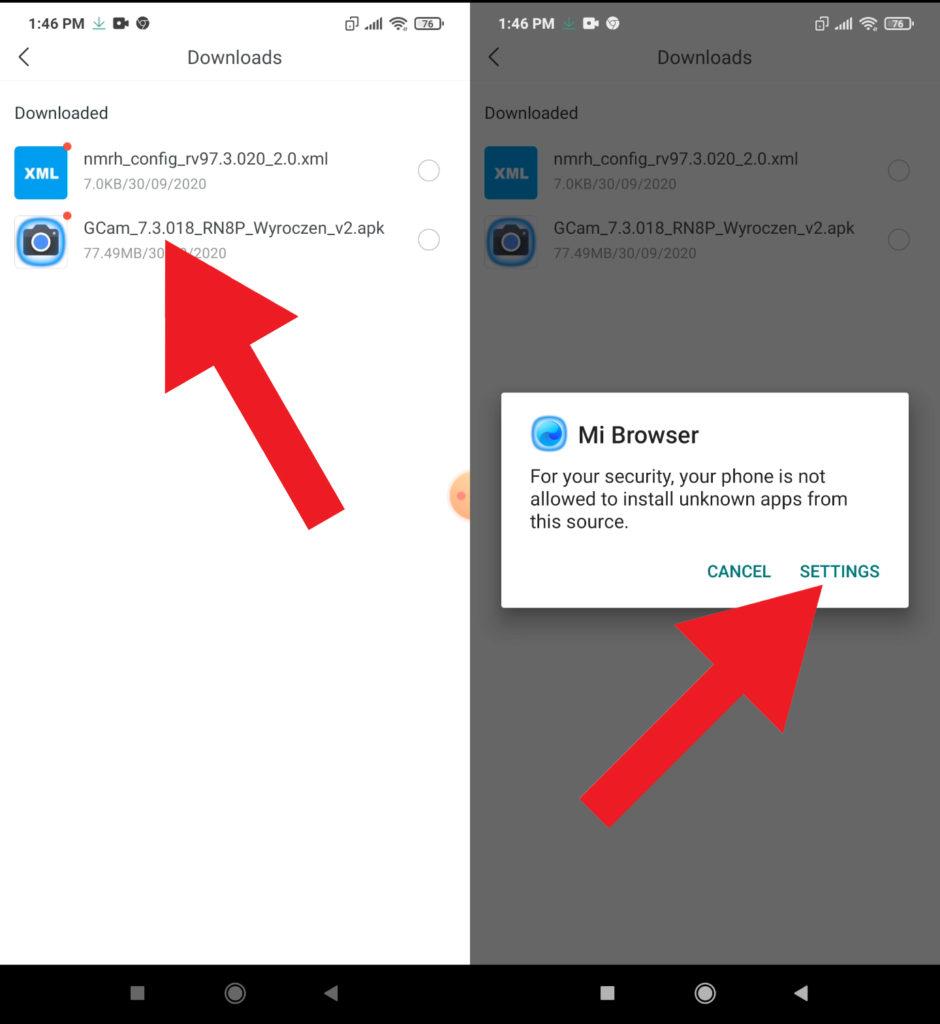
Navigate to Security Settings
On your HMD Pulse+, go to Settings → Security (or Privacy) and toggle on the Unknown Sources option.
Install the APK
Once Unknown Sources is enabled, tap Install and wait for the process to finish.
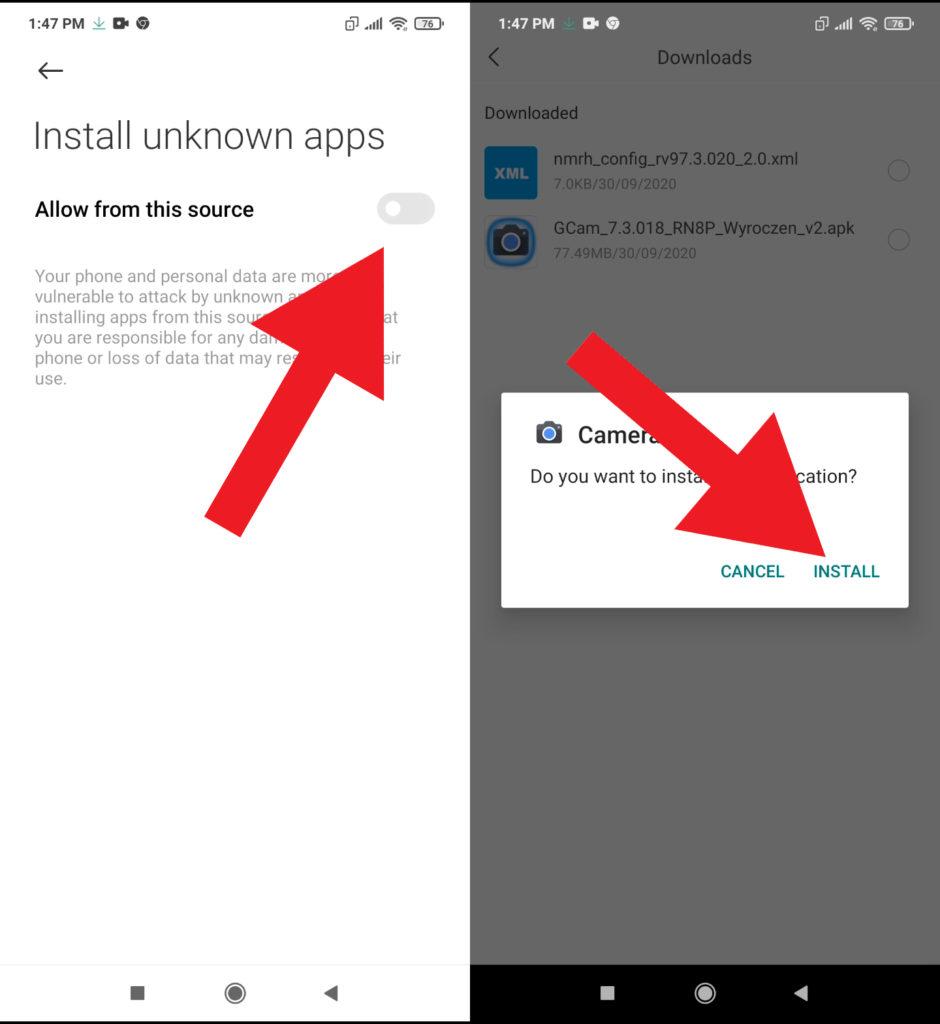
Clear Cache (If Upgrading)
If you’re upgrading from an older GCam version, long-press the app icon → App Info → Storage → Clear Cache to avoid bugs.
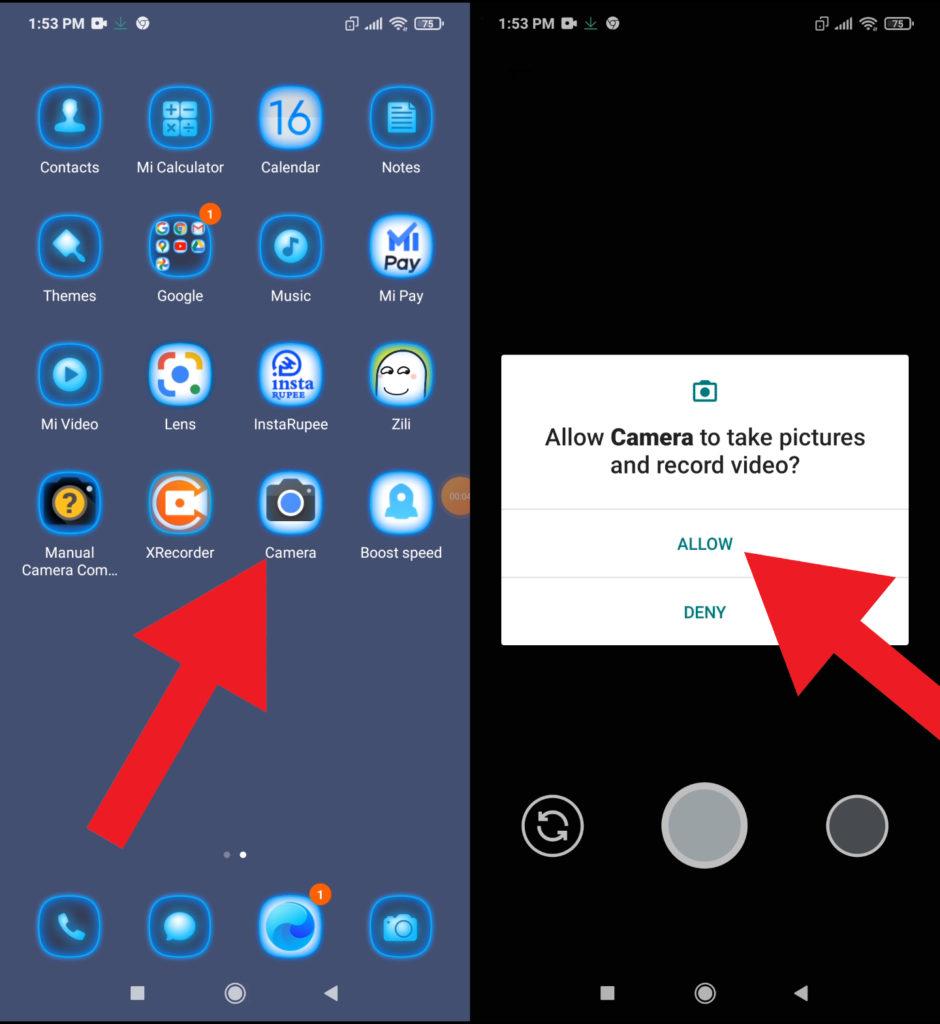
Open & Grant Permissions
Open the Google Camera app on your HMD Pulse+ and allow all requested permissions (Camera, Storage, Microphone). You’re all set to shoot!
That’s It — You’re Done! 🎉
We hope you successfully installed GCam 9.6 on your HMD Pulse+. 📸 Try the new Underwater Mode and Vertical Panorama, and let us know in the comments which features impressed you the most compared to the stock camera!
/Download/AGC.9.6/configs/ and place an .xml or .agc file optimized for your device inside. Then load it from GCam Settings.Stock Camera vs GCam — Real Shots
56 side-by-side comparisons. Click any image for a detailed interactive view with drag-to-compare.
 📷 Stock
 📸 GCam