
Samsung Galaxy Tab A 10.1 2016 (codename: gtaxlwifi) launched in May 2016. The phone came out of the box with Android 6.0 Marshmallow and later upgraded to Android 7.0 Nougat. In this tutorial, we will show you how to download and install Lineage OS 18 on Galaxy Tab A 10.1 2016 (gtaxlwifi) device. The Google-owned OS is open source in nature. This allows the userbase to try out tons of customizations and modifications onto your devices. For the starters, they could install themes, icon packs, and launchers from the Play Store. But this is just the beginning. There are a plethora of other tweaks that you could try out on your device.

All that is required is an unlocked bootloader, and then you could easily set your feet in the custom development. From installing a custom recovery like TWRP to gaining root access via Magisk, the possibilities are endless. Along the same lines, you could also try out a customized Android OS in the form of custom ROMs. And in this guide, we will be discussing just that. Today, we will show you the steps to install Lineage OS 18 onto your Galaxy Tab A 10.1 2016 (gtaxlwifi) device.
Lineage OS 18 with Android 11 Features
Among all the custom ROMs available for our device, Lineage has been among the oldest player. In its early days, it was known as CyanogenMod and now this ‘lineage’ seems to have been rightly carried forward. Based on the Android Open Source Project, you will be able to welcome a few handy customization options to your device. The ROM isn’t known to offer a plethora of features, rather it maintains an equilibrium with the stability front.
As far as the latest LineageOS 18 is concerned, it is based on the latest Android 11 that has just been released. This in turn translates to the user getting blessed with some noteworthy features. These include a separate Conversation section, OneTime Permissions, and the new Notification History. Likewise, there has been the introduction of Chat Bubbles and a native Screen Recorder. The Media Player has now also been moved to the Quick Settings with some handy Media Controls options.
Important Notes!
1. This ROM will only work on this device, Don’t try this on any other device.
2. Follow the steps correctly otherwise you may brick your device. We are not responsible for any damage to your phone.
3. It will erase all your data, so we advise you first to take a complete backup of your phone and then proceed.
4. Ensure that your phone has at least 50-60% charged to prevent the accidental shutdown in-between the process.
Requirements!
You must have TWRP Recovery Installed on your device.
(Learn here: How to install)
XDA Development Forum: Here!
(you can check here more information about ROM what is working and what’s not working)
▼ DOWNLOAD FILES ▼
LINEAGE OS 18 ROM
BiTGapps 11 GAPPS / NIKGAPPS 11
(Check-out which G-App is compatible for your device from Here!)
Instructions to Install
1. First Download & Install a Custom Recovery on your device (TWRP is recommended), If you already have installed then skip this step.
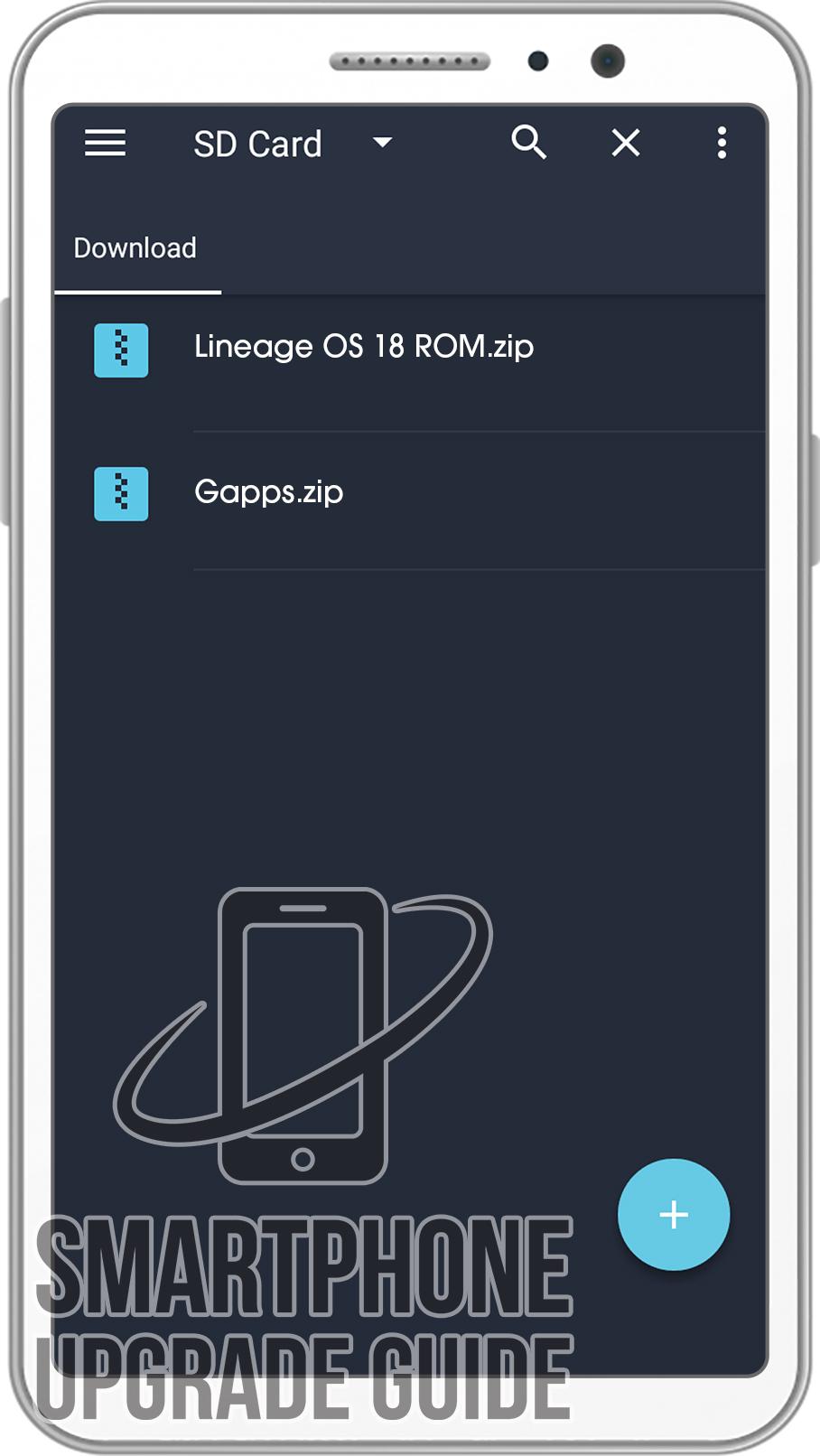
2. Download ROM & Gapps .zip file and save it on your device’s Internal storage or SD Card.
3. Now Boot your device into TWRP Recovery Mode. (if you don’t know how to boot your device into TWRP Recovery then you can search it on Google)
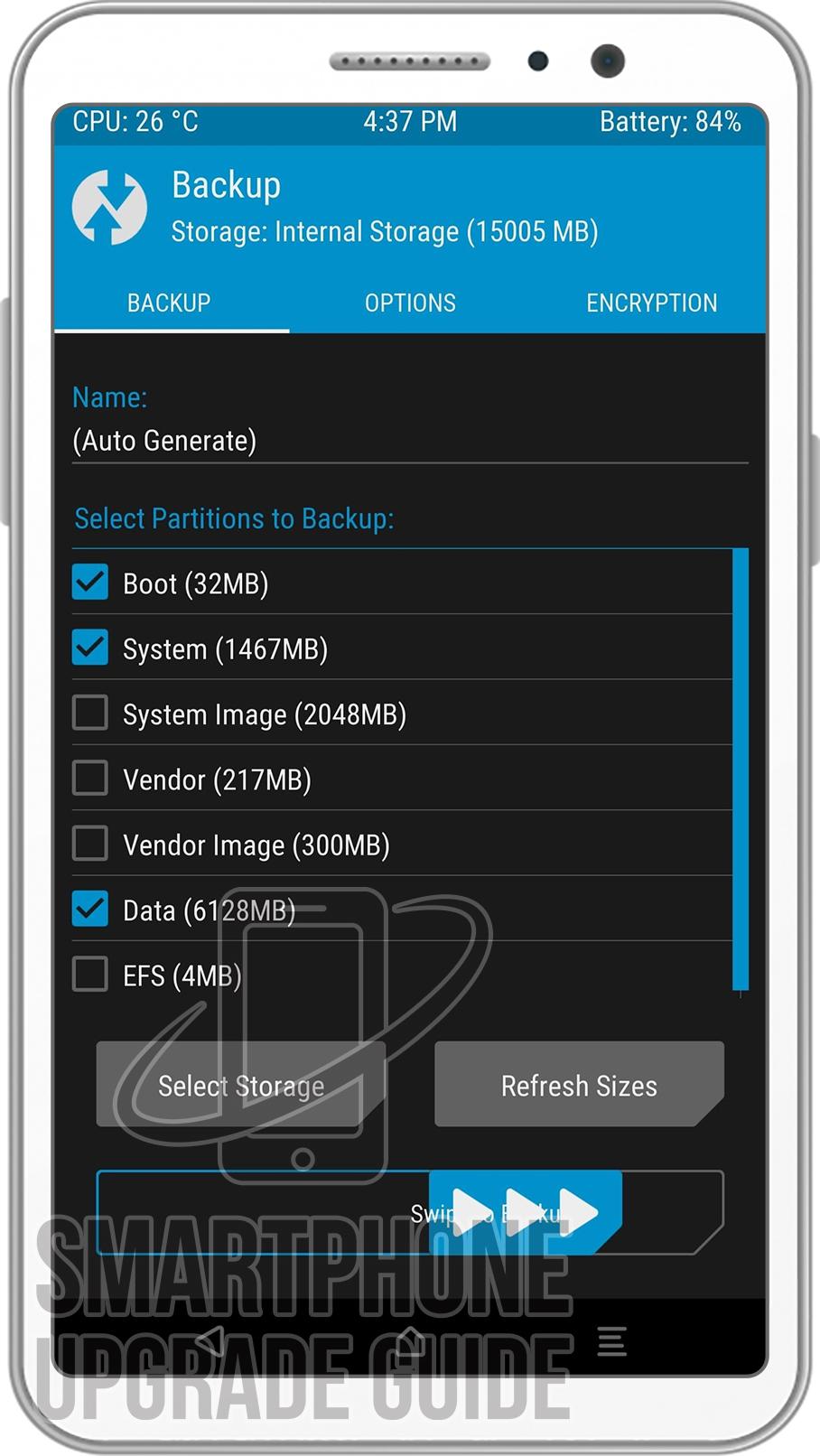
4. Now in TWRP create a Nandroid Backup of your device for safer side. If anything goes wrong, you can restore back to your older ROM. (How to Take Nandroid Backup)
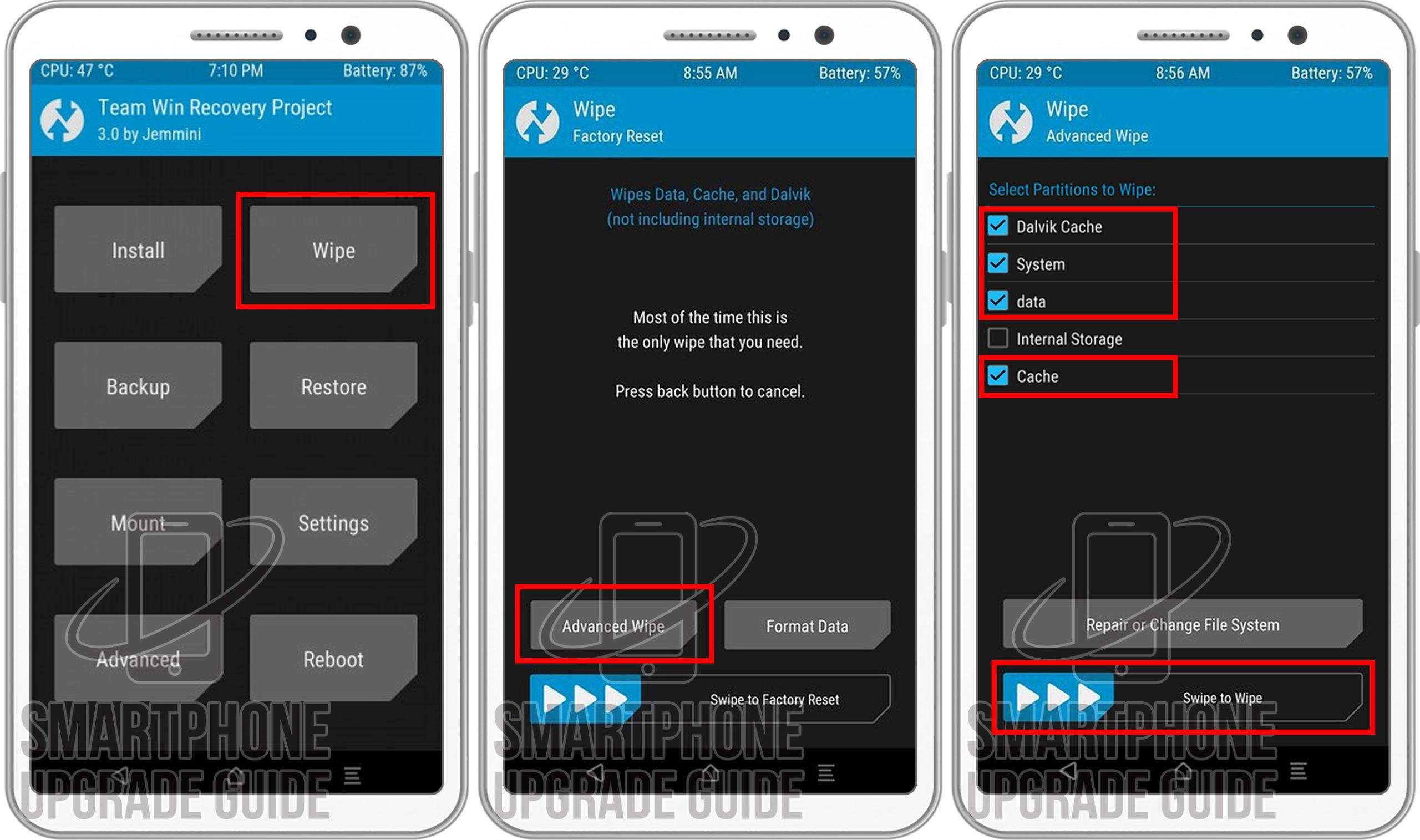
5. Now do a Factory Reset of your device, Goto Wipe > Advanced Wipe > Select Cache, Dalvik Cache, System, and Data. Then Swipe to Wipe.
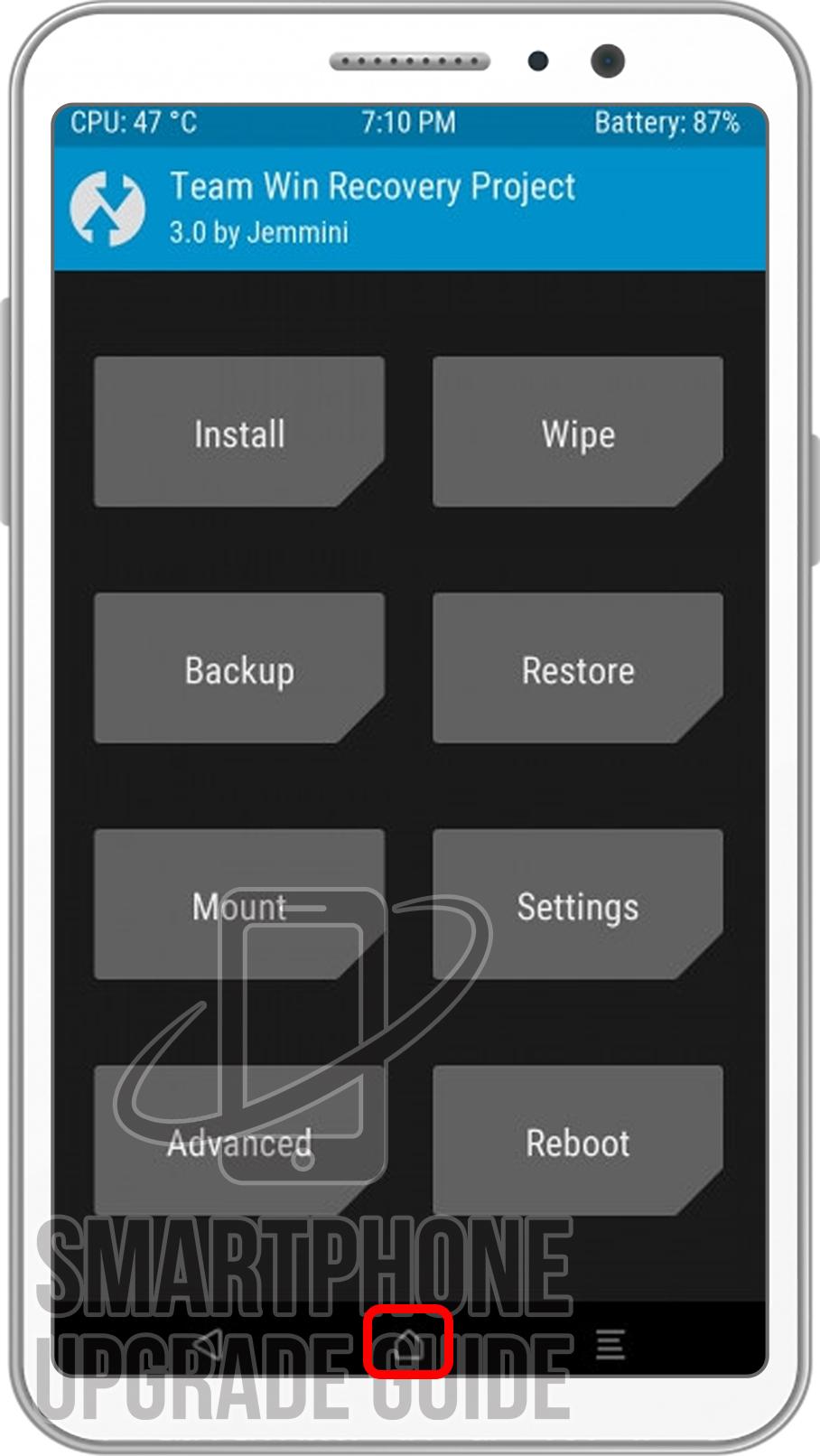
6. Now go back to TWRP Main Menu by pressing the Center navigation button.
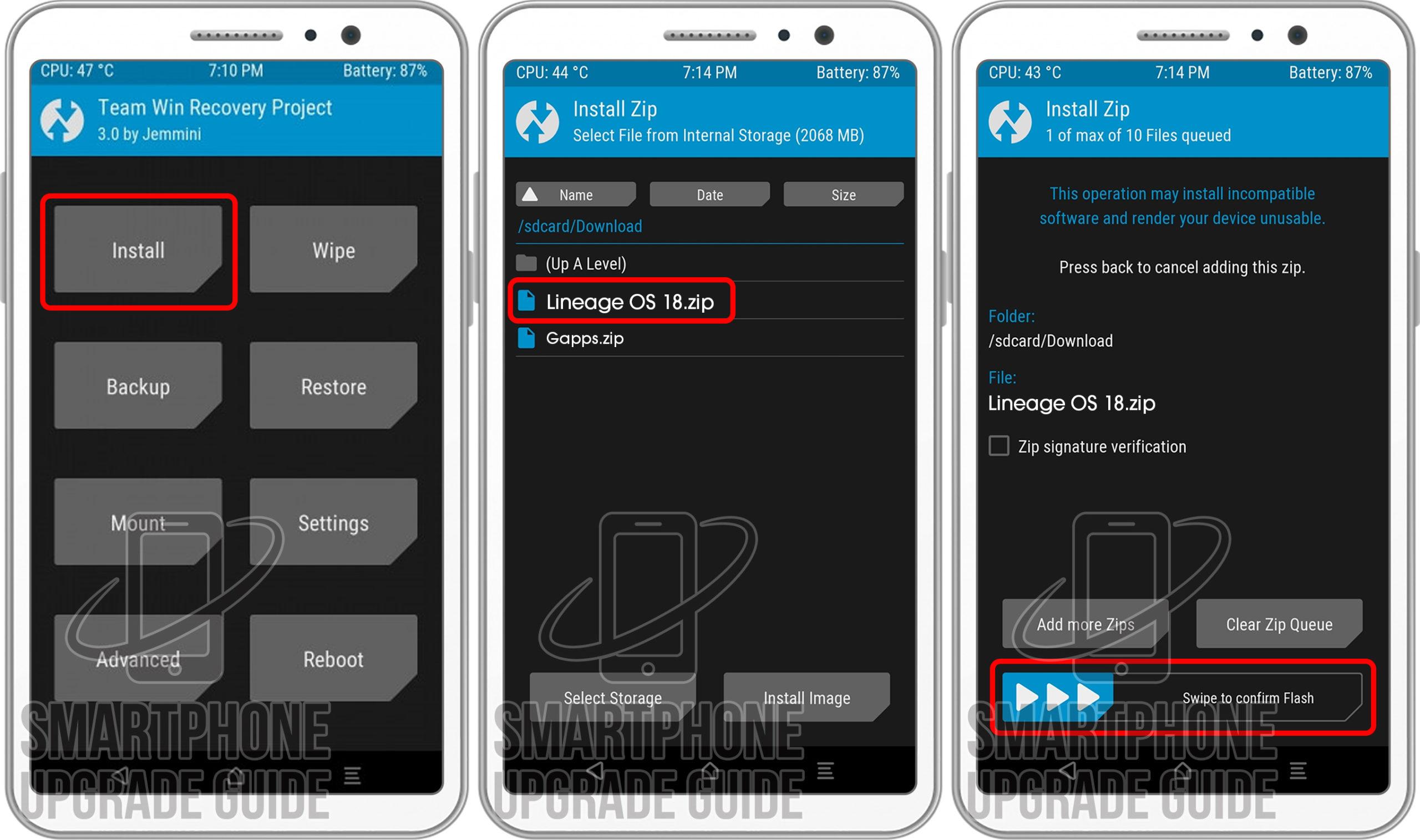
7. Now Select Install, Locate the ROM zip file and Swipe to Confirm Flash.
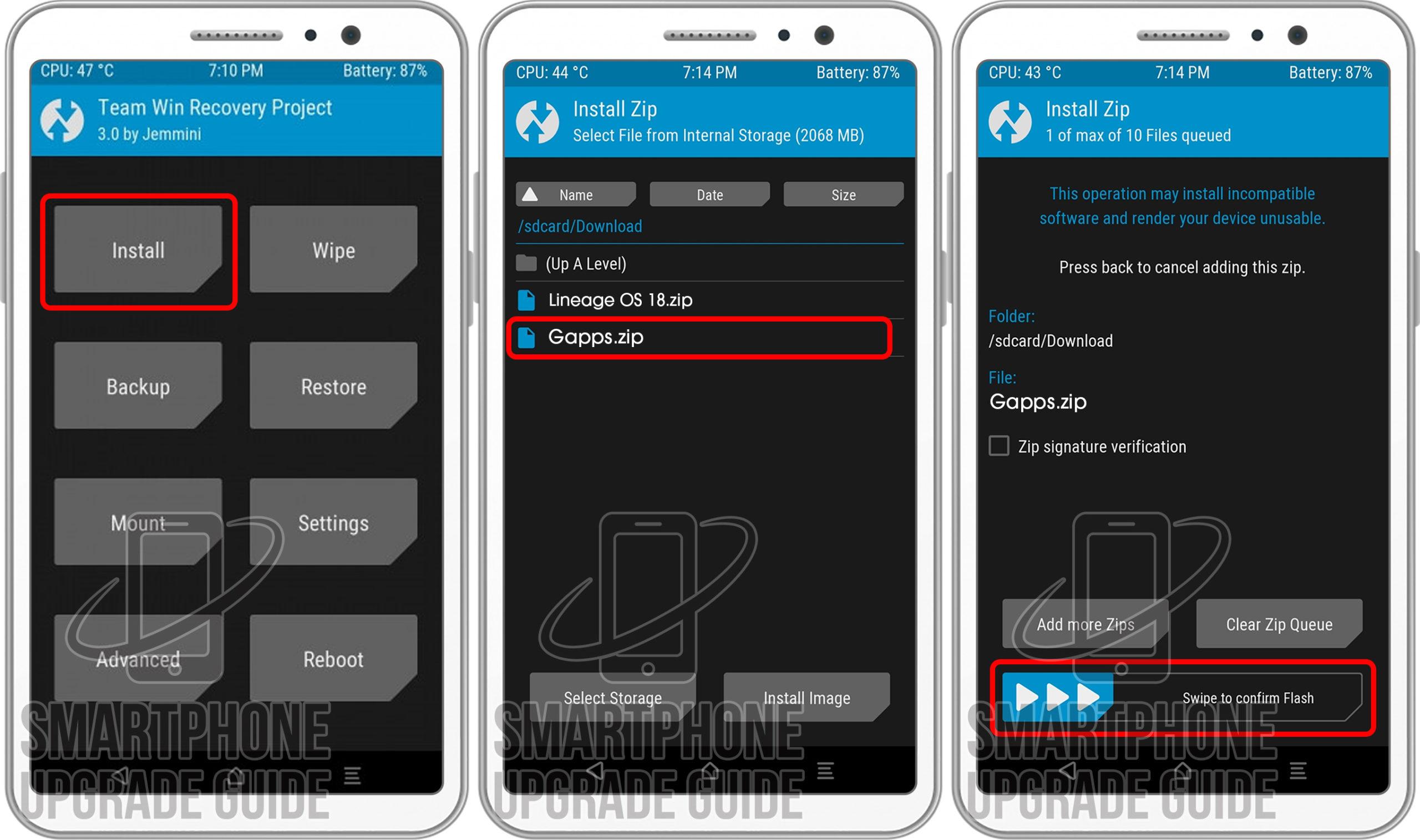
8. After the flashing completes, Flash the GApps in the manner.
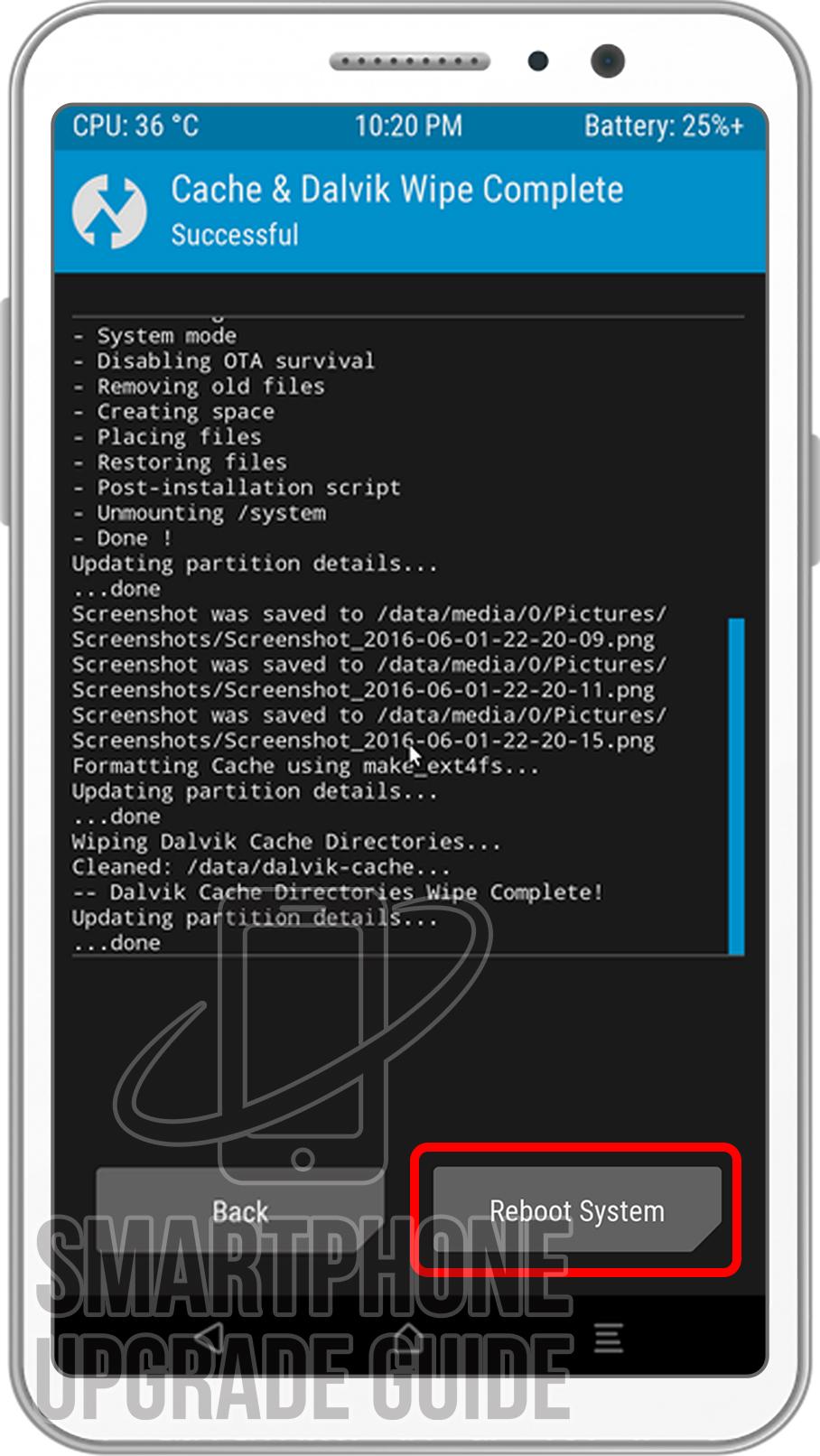
9. After GApps flashing completes, Select Wipe cache/Dalvik from the bottom left side of the screen, & Swipe to Wipe.
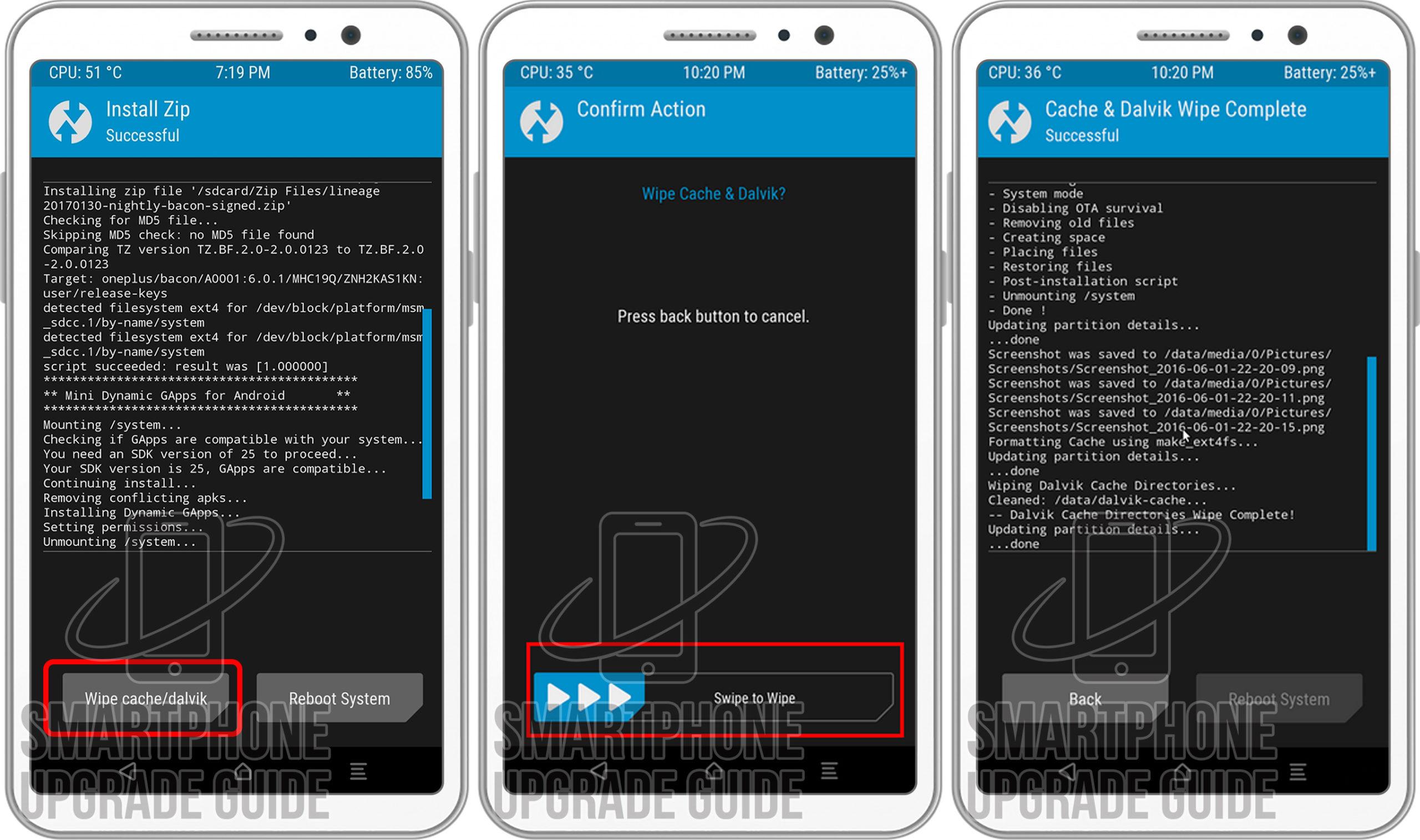
10. After wipe completes, Click on Reboot System.
That’s it Now you have successfully installed the latest Android on your device, the first boot will take some time so please don’t panic!
If you have any questions regarding the ROM or the installation process, use the comments section below to reach us or contact to XDA forum members from the link above.