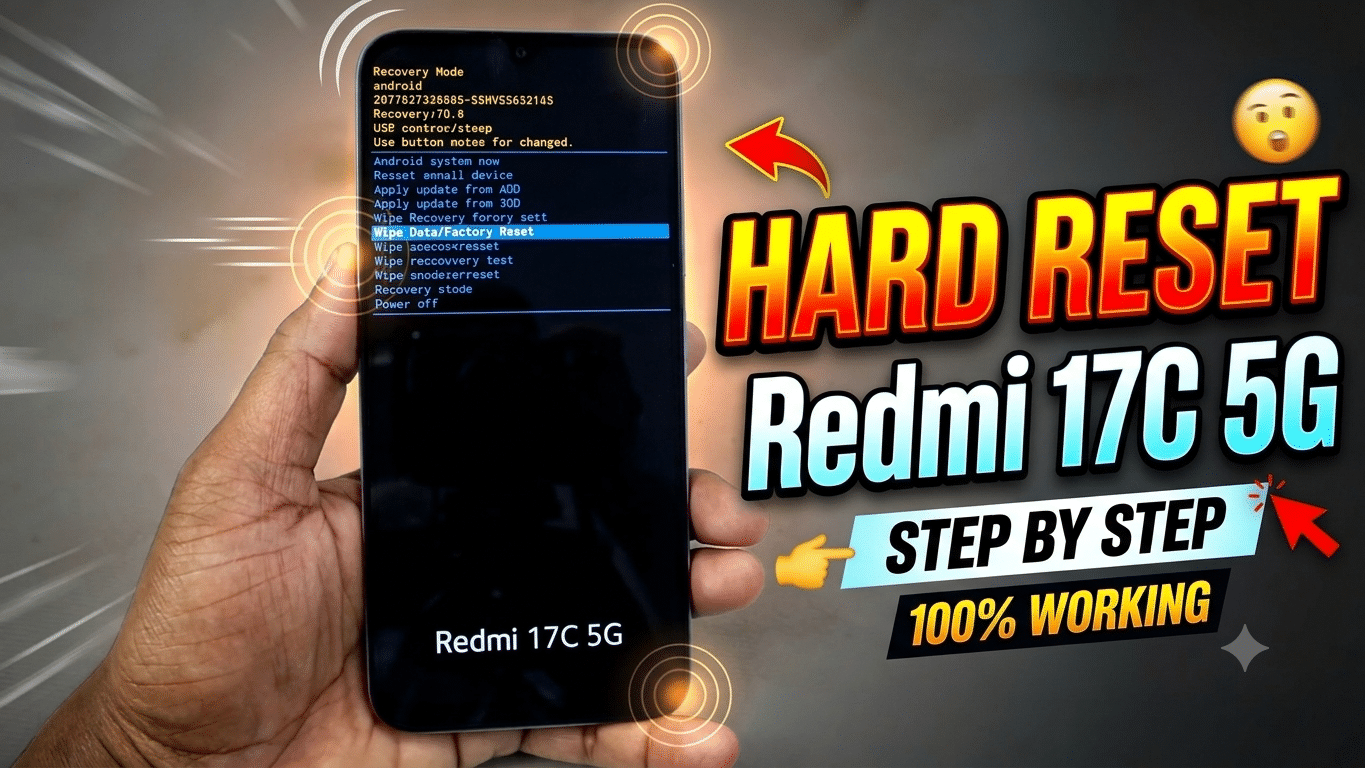
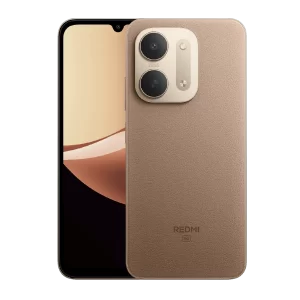
Need a reliable guide to factory reset your Redmi 17C 5G? This detailed tutorial shows you how to hard reset, erase all data, and remove the screen lock on the Redmi 17C 5G using the hardware button method via Android 15 Recovery Mode — no password, computer, or ADB needed. Whether your phone is locked out, frozen, unresponsive, or slowed down, this method restores your device to original factory settings in just a few minutes.
This hardware-based reset is the most dependable fix for stubborn software glitches, boot loops, and performance problems — and it works even if your touchscreen is unresponsive or you’ve forgotten your PIN, pattern, or password. It’s also the essential step before selling, trading in, or gifting your Redmi 17C 5G, making sure all personal data, accounts, and files are permanently erased from the device.
[the_ad id=”6713″]
Before You Begin
⚠️ Important: A factory reset permanently erases all data from your REDMI 17C 5G, including photos, apps, contacts, and accounts. Make sure to back up everything before proceeding.
ℹ️ Good to know: After a factory reset, you will need your Google account credentials to set up the device again due to Factory Reset Protection (FRP).
Hard Reset REDMI 17C 5G — Step-by-Step Instructions
STEP 1 OF 9
Step 1.
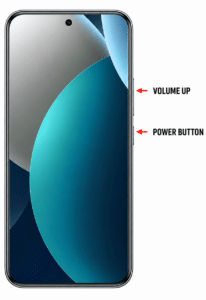
At first, turn off the phone by using the Power button + Volume Up.
STEP 2 OF 9
Step 2.
Now hold down the Power key + the Volume Up simultaneously.
STEP 3 OF 9
Step 3.
When the REDMI logo appears, let go of the Power key, but keep pushing the Volume Up.

STEP 4 OF 9
Step 4.
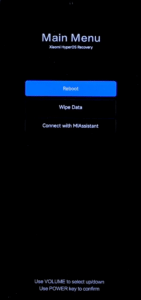
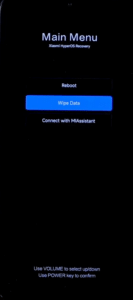
All right, here is the Recovery mode menu.
STEP 5 OF 9
Step 5.
Go to the Wipe Data chapter in this step. Use the Volume rocker to navigate and the Power button to select.
STEP 6 OF 9
Step 6.
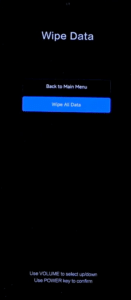
Here, choose the Wipe All Data procedure and then, select the Confirm position to start.
STEP 7 OF 9
Step 7.
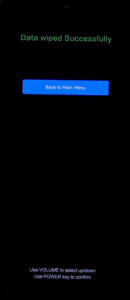
After, use the Back to Main Menu tab.
STEP 8 OF 9
Step 8.
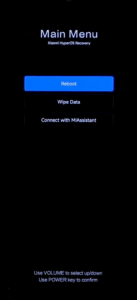
Finally, pick the Reboot → the Reboot to System to activate the device back.
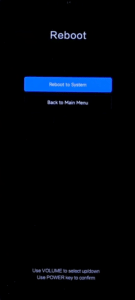
STEP 9 OF 9
Step 9.
Well done!
✅ Factory reset complete! Your REDMI 17C 5G has been restored to its original factory state. All personal data, apps, and accounts have been erased.
[the_ad id=”6712″]
REDMI 17C 5G Technical Specifications
| Display | 6.88-inch IPS LCD, 120Hz, 720 x 1640 pixels |
| Processor | MediaTek Dimensity 6300 (6nm), octa-core |
| RAM | 4GB / 6GB / 8GB |
| Operating System | Android 15 with HyperOS 2 |
| Battery | 5160 mAh, 33W wired charging |
| Rear Camera | 50MP main + 2MP depth sensor |
| Front Camera | 8MP |
Frequently Asked Questions About REDMI 17C 5G Factory Reset
What happens after I factory reset my Redmi 17C 5G?
The phone restarts and loads the initial setup wizard, just like when you first unboxed it. All apps, photos, settings, and accounts are permanently removed. The MediaTek Dimensity 6300 chipset will perform at its original speed.
Can I factory reset Redmi 17C 5G if the screen is broken?
Yes, as long as you can see the recovery menu. The hardware key method (Volume Up + Power) works even with a cracked or partially broken screen since navigation uses physical buttons only.
Is factory reset the same as hard reset on Redmi 17C 5G?
Yes. The terms “factory reset,” “hard reset,” and “master reset” all refer to the same process — erasing all user data and restoring the device to its original manufacturer settings.