
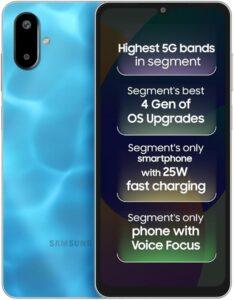
Are you searching for a step-by-step tutorial to factory reset your Galaxy F06 5G? This comprehensive guide will walk you through exactly how to hard reset, wipe all data, and bypass the screen lock on your Galaxy F06 5G using the physical hardware buttons via Android 15 Recovery Mode — no passwords, PC, or ADB tools needed. Whether your smartphone is completely locked out, frozen, unresponsive, or experiencing severe lag, this quick method effectively restores your device to its original factory settings in just a few short minutes.
Performing a hardware-based reset is the ultimate solution for fixing stubborn software bugs, boot loop errors, and general performance drops — and it works perfectly even if your touchscreen is unresponsive or you have forgotten your lock screen PIN, pattern, or password. It is also a highly recommended step before you decide to sell, trade in, or give away your Galaxy F06 5G, ensuring that all of your personal files, accounts, and private data are permanently erased from the smartphone.
[the_ad id=”6713″]
Before You Begin
⚠️ Important: A factory reset permanently erases all data from your GALAXY F06 5G, including photos, apps, contacts, and accounts. Make sure to back up everything before proceeding.
ℹ️ Good to know: After a factory reset, you will need your Google account credentials to set up the device again due to Factory Reset Protection (FRP).
Hard Reset GALAXY F06 5G — Step-by-Step Instructions
STEP 1 OF 7
Step 1.
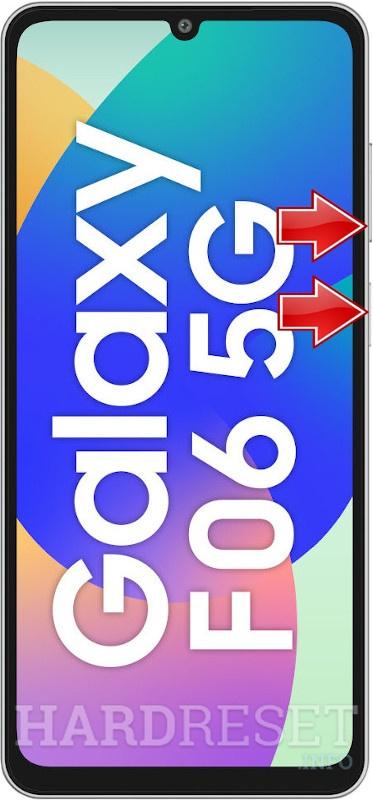
Press and hold the Volume Down and Power buttons briefly to turn off your device.
STEP 2 OF 7
Step 2.
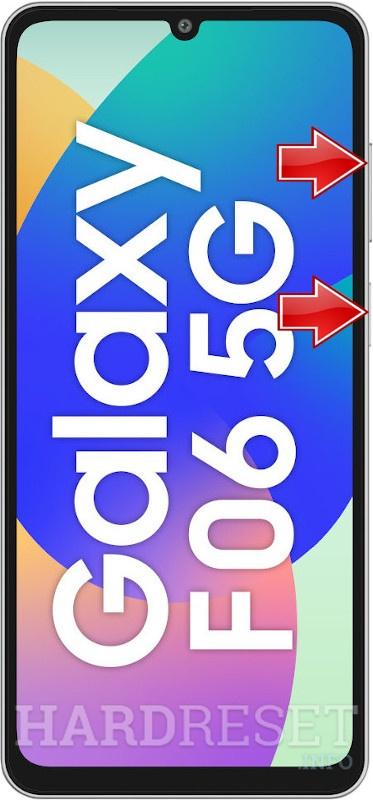
Then, press and hold the Volume Up and Power buttons while connecting your device to a computer via USB cable.
STEP 3 OF 7
Step 3.
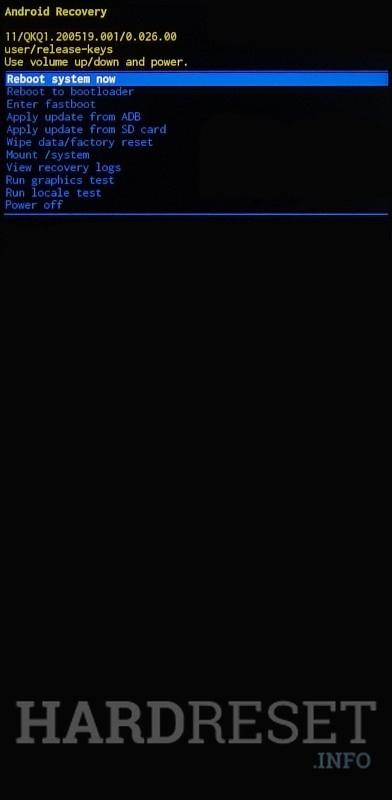
Once the Recovery Mode logo appears, release both buttons.
STEP 4 OF 7
Step 4.
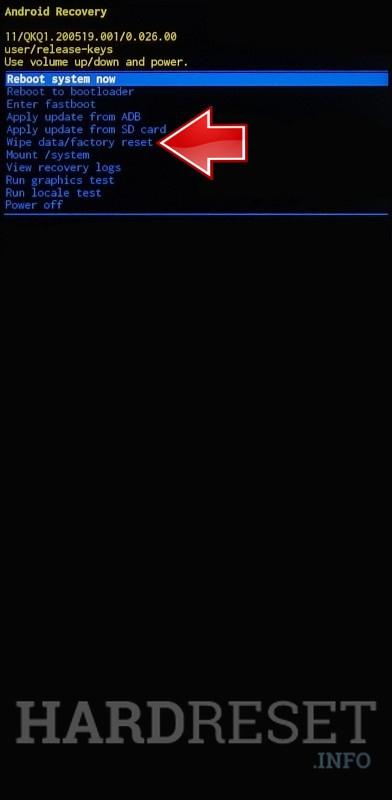
Use the Volume buttons to navigate to Wipe data/factory reset, then confirm with the Power button.
STEP 5 OF 7
Step 5.
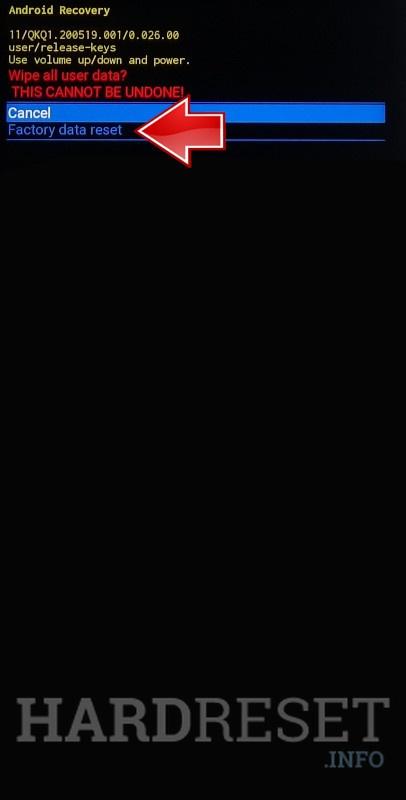
Select Factory data reset using the Power button.
STEP 6 OF 7
Step 6.
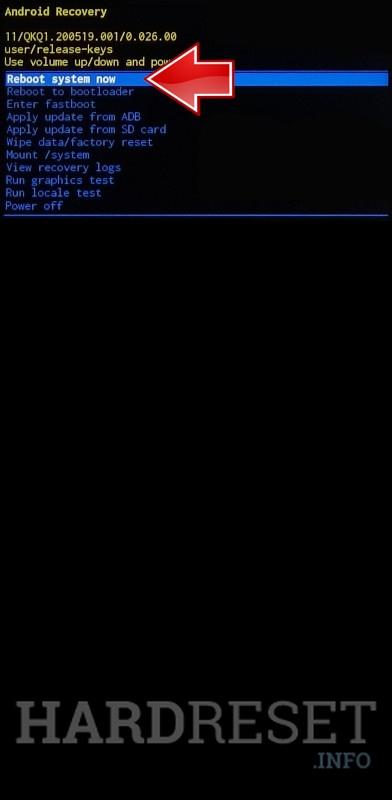
Finally, choose Reboot system now and confirm with the Power button.
STEP 7 OF 7
Step 7.
All set! Your device has been completely wiped.
✅ Factory reset complete! Your GALAXY F06 5G has been restored to its original factory state. All personal data, apps, and accounts have been erased.
[the_ad id=”6712″]
GALAXY F06 5G Technical Specifications
| Display | 6.7-inch HD+ PLS LCD, 90Hz, 800 nits |
| Processor | MediaTek Dimensity 6300 |
| RAM | 4GB / 6GB |
| Operating System | Android 15 (One UI 7) |
| Battery | 5000 mAh (25W Fast Charging) |
| Rear Camera | 50 MP Primary + 2 MP Depth |
| Front Camera | 8 MP |
Frequently Asked Questions About GALAXY F06 5G Factory Reset
What happens after I factory reset my Galaxy F06 5G?
The phone restarts and loads the initial setup wizard, just like when you first unboxed it. All apps, photos, settings, and accounts are permanently removed. The MediaTek Dimensity 6300 chipset will perform at its original speed.
Can I factory reset Galaxy F06 5G if the screen is broken?
Yes, as long as you can see the recovery menu. The hardware key method (Volume Up + Power) works even with a cracked or partially broken screen since navigation uses physical buttons only.
Is factory reset the same as hard reset on Galaxy F06 5G?
Yes. The terms “factory reset,” “hard reset,” and “master reset” all refer to the same process — erasing all user data and restoring the device to its original manufacturer settings.