
[the_ad id=”193″]

[the_ad id=”193″]
Resurrection Remix is one of the popular aftermarket custom ROM for any Android device out there. After Android Oreo update, Resurrection is back with the new version based on Android 9.0 Pie known as Resurrection Remix 7 or RR 7.0. The update is currently live for Moto G7 Plus and few other devices. Now you can install the Resurrection Remix on Moto G7 Plus by following our guide given below
To install Resurrection Remix on Moto G7 Plus, your device should have Bootloader Unlocked and should be running on latest TWRP Recovery. If you have all this, then you are good to try the new Resurrection Remix on your device. Follow our guide on how to upgrade, but before that. Let’s understand the features of Resurrection Remix ROM.
[the_ad id=”6713″]
Resurrection Remix is a custom ROM based on AOSP source code which means that its UI is no different from stock Android on the Pixel phones. The ROM brings many new features from popular custom ROM like Lineage OS, Slim, AOKP, Paranoid Android and many more. Along with all these features, Remix also brings an awesome combination of performance, customization, power and battery life compared to many custom ROM. Here is the quick recap of what’s on Android 9.0 Pie.
Important Notes!
This ROM will only work on this device, Don’t try this on any other device.
Follow the steps correctly otherwise you may brick your device. We are not responsible for any damage to your phone.
It will erase all your data, so we advise you first to take a complete backup of your phone and then proceed.
Ensure that your phone has at least 50-60% charged to prevent the accidental shutdown in-between the process.[the_ad id=”6713″]
Requirements!
You must have TWRP Recovery Installed on your device.
(Learn here: How to install)
XDA Development Forum: Here!
(you can check here more information about ROM what is working and what’s not working)
▼DOWNLOAD FILES
Resurrection Remix ROM
Resurrection Remix GAPPS
Check-out which G-App is compatible for your device from Here!
Instructions to Install
1. First Download & Install a Custom Recovery on your device (TWRP is recommended), If you already have installed then skip this step.
[the_ad id=”193″]
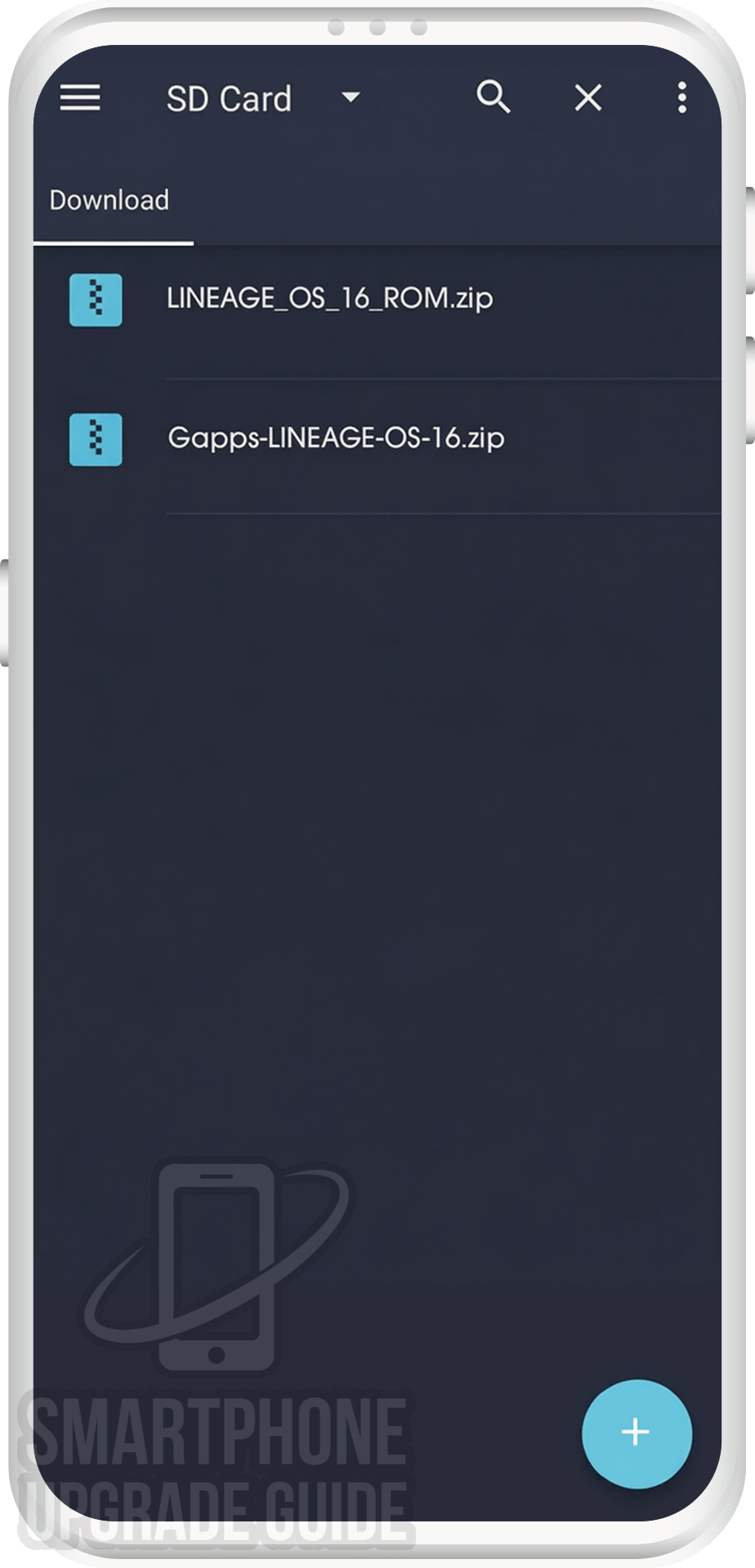
2. Download ROM & Gapps .zip file and save it on your device’s Internal storage or SD Card.
[the_ad id=”6714″]
3. Now Boot your device into TWRP Recovery Mode. (if you don’t know how to boot your device into twrp recovery then you can search it on Google)
[the_ad id=”193″]
4. Now in TWRP create a Nandroid Backup of your device for safer side. If anything goes wrong, you can restore back to your older ROM. (How to Take Nandroid Backup)
[the_ad id=”6714″]
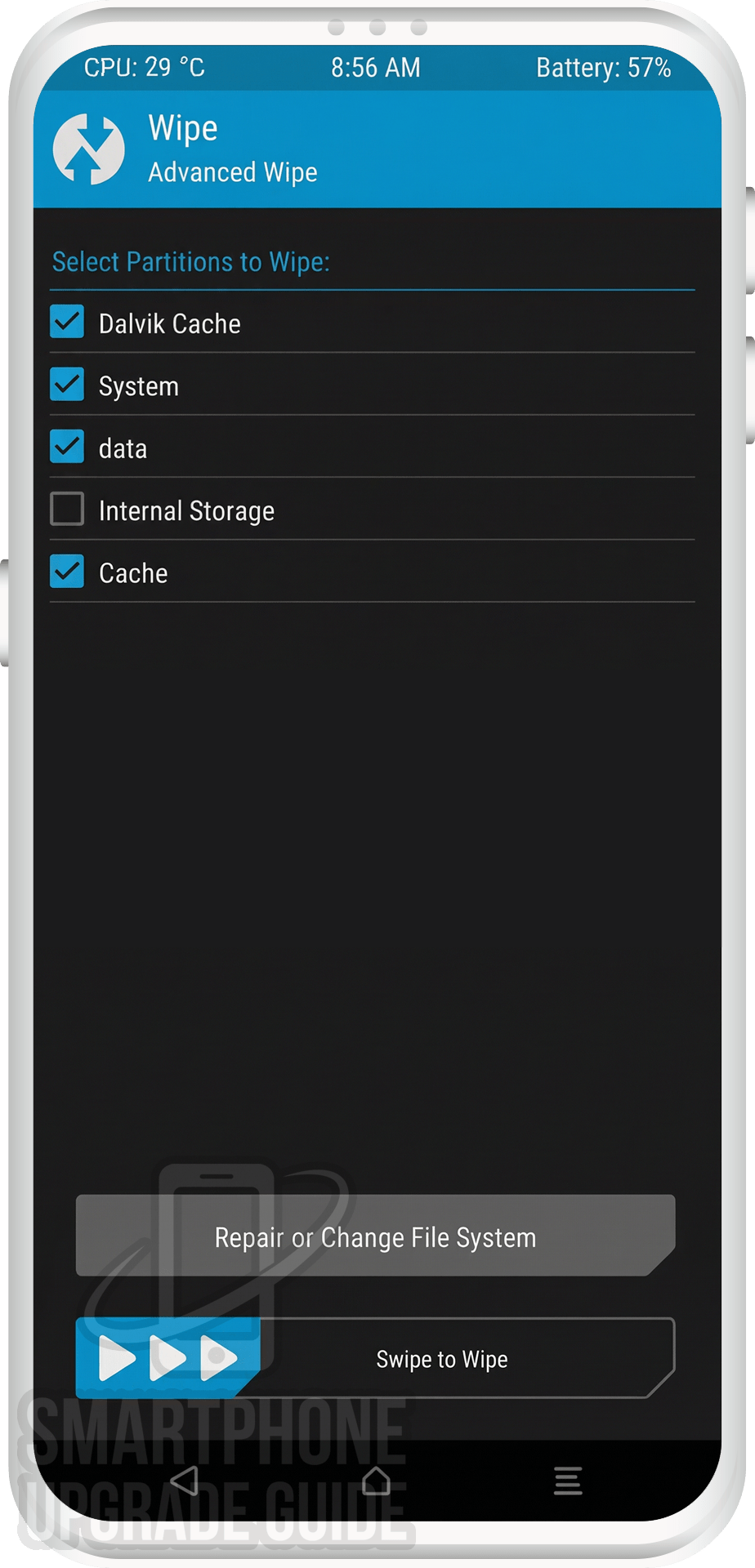
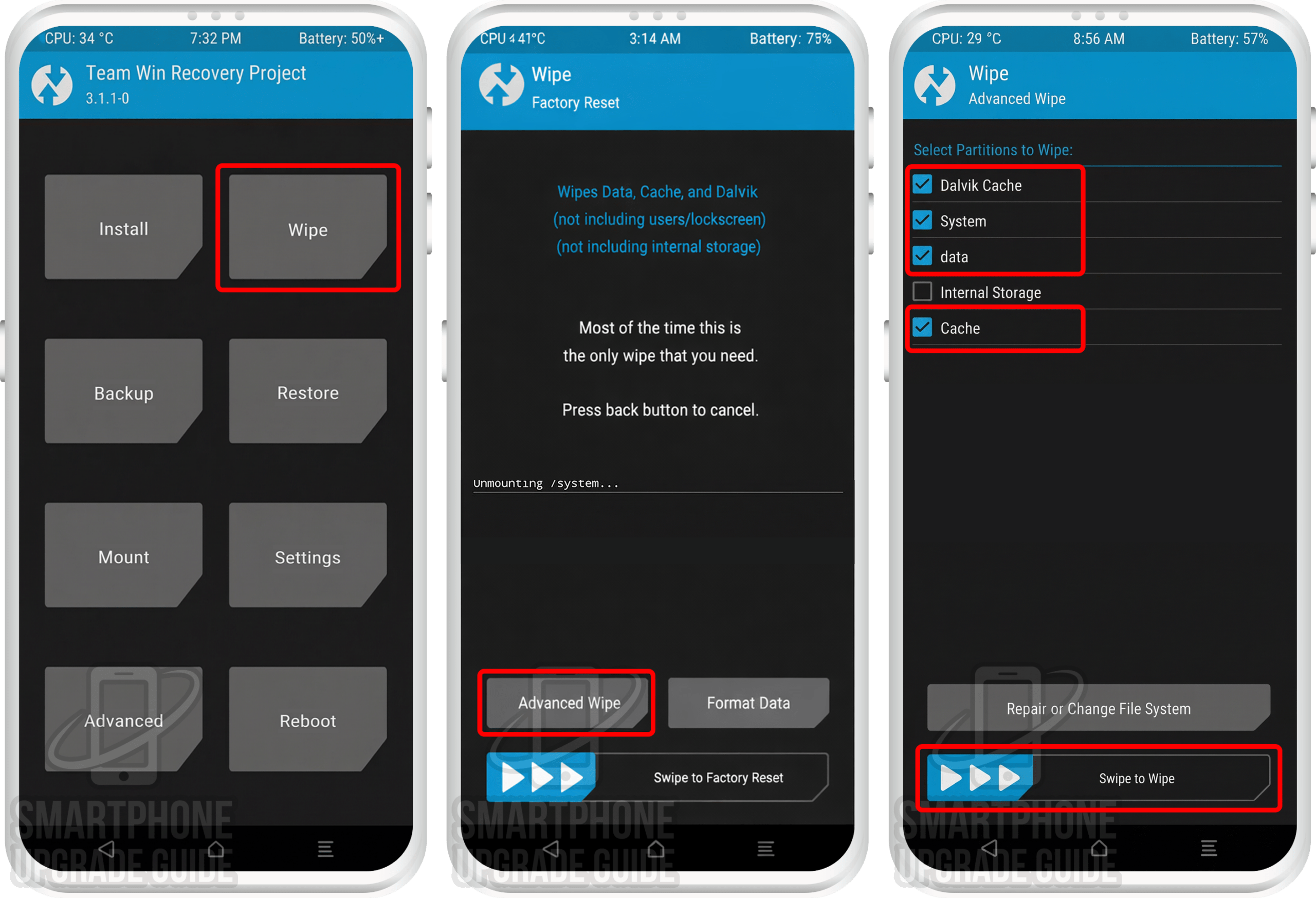
5. Now do a Factory Reset of your device, Goto Wipe > Advanced Wipe > Select Cache, Dalvik Cache, System, and Data. Then Swipe to Wipe.
[the_ad id=”193″]
6. Now go back to TWRP Main Menu by pressing the Center navigation button.
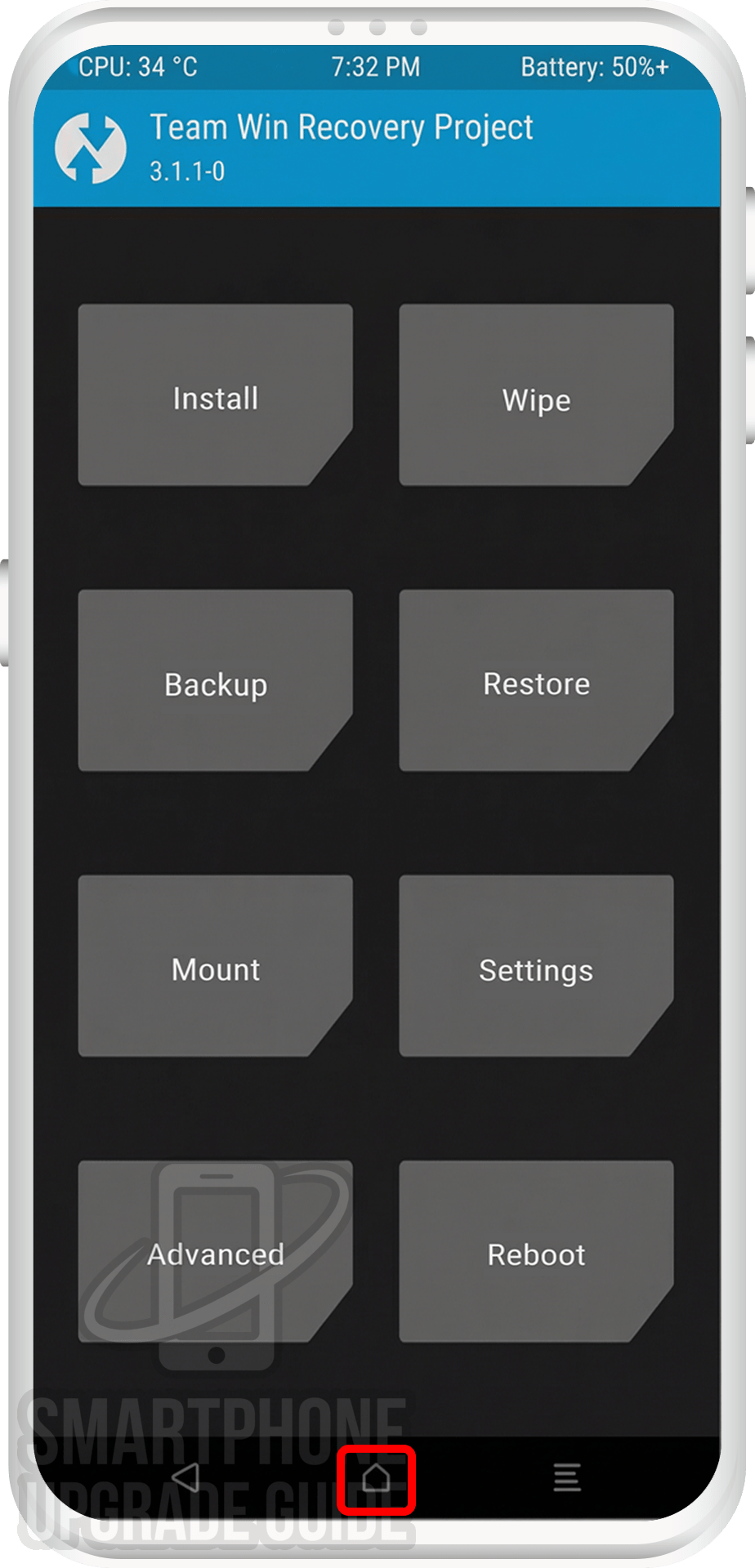
[the_ad id=”6714″]
7. Now Select Install, Locate the ROM zip file and Swipe to Confirm Flash.
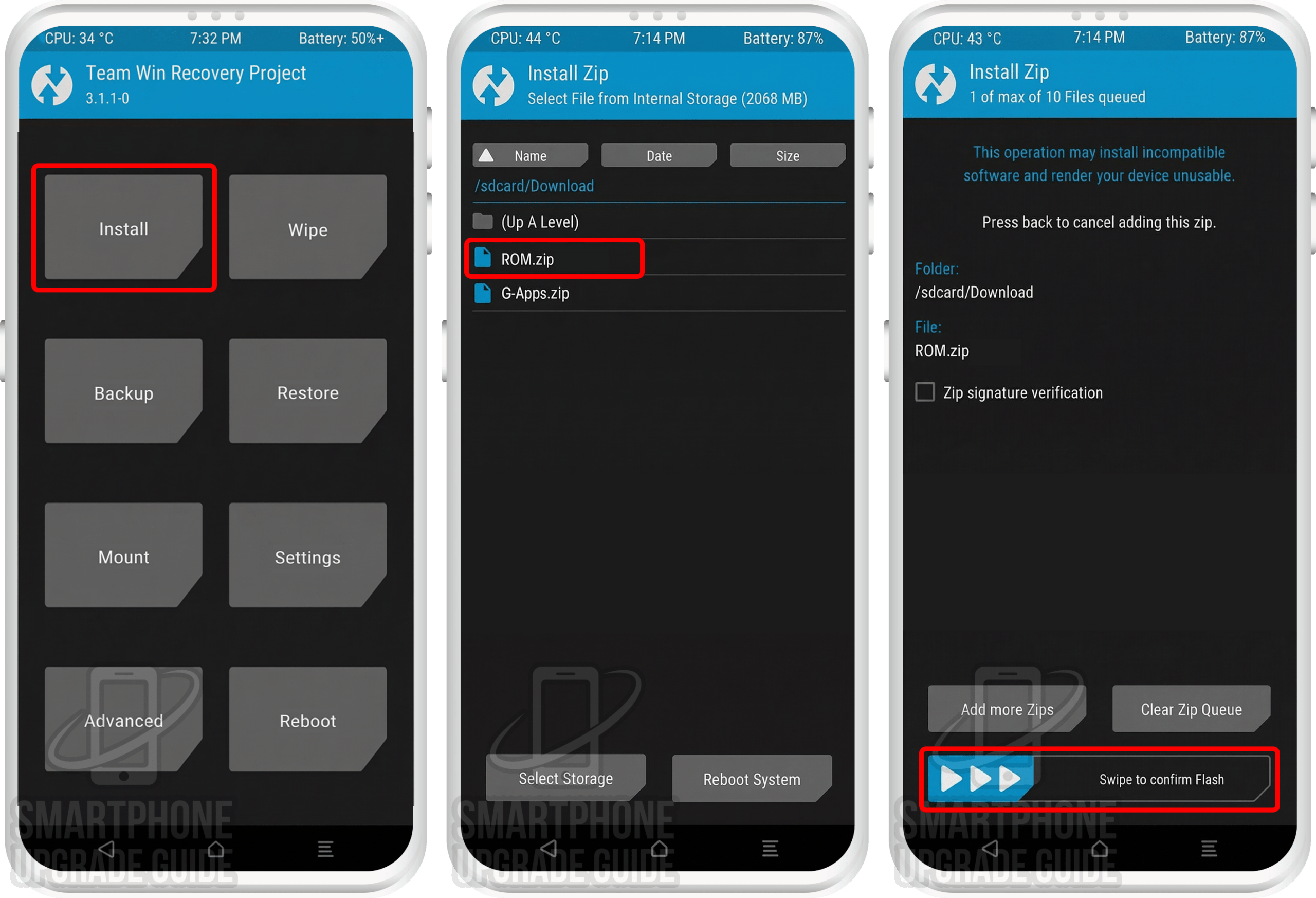
[the_ad id=”193″]
8. After the flashing completes, Flash the Gapps in the manner.
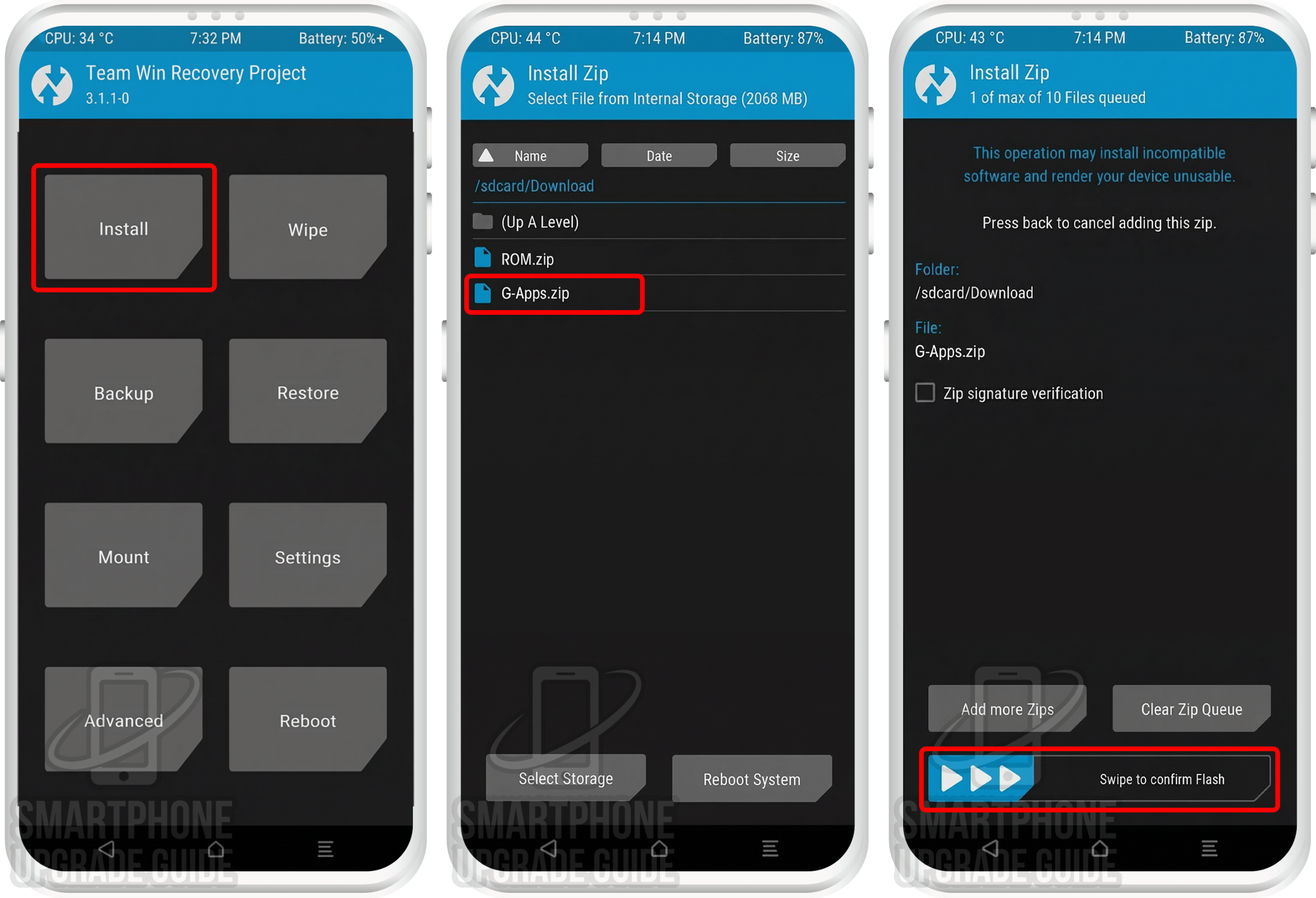
[the_ad id=”6714″]
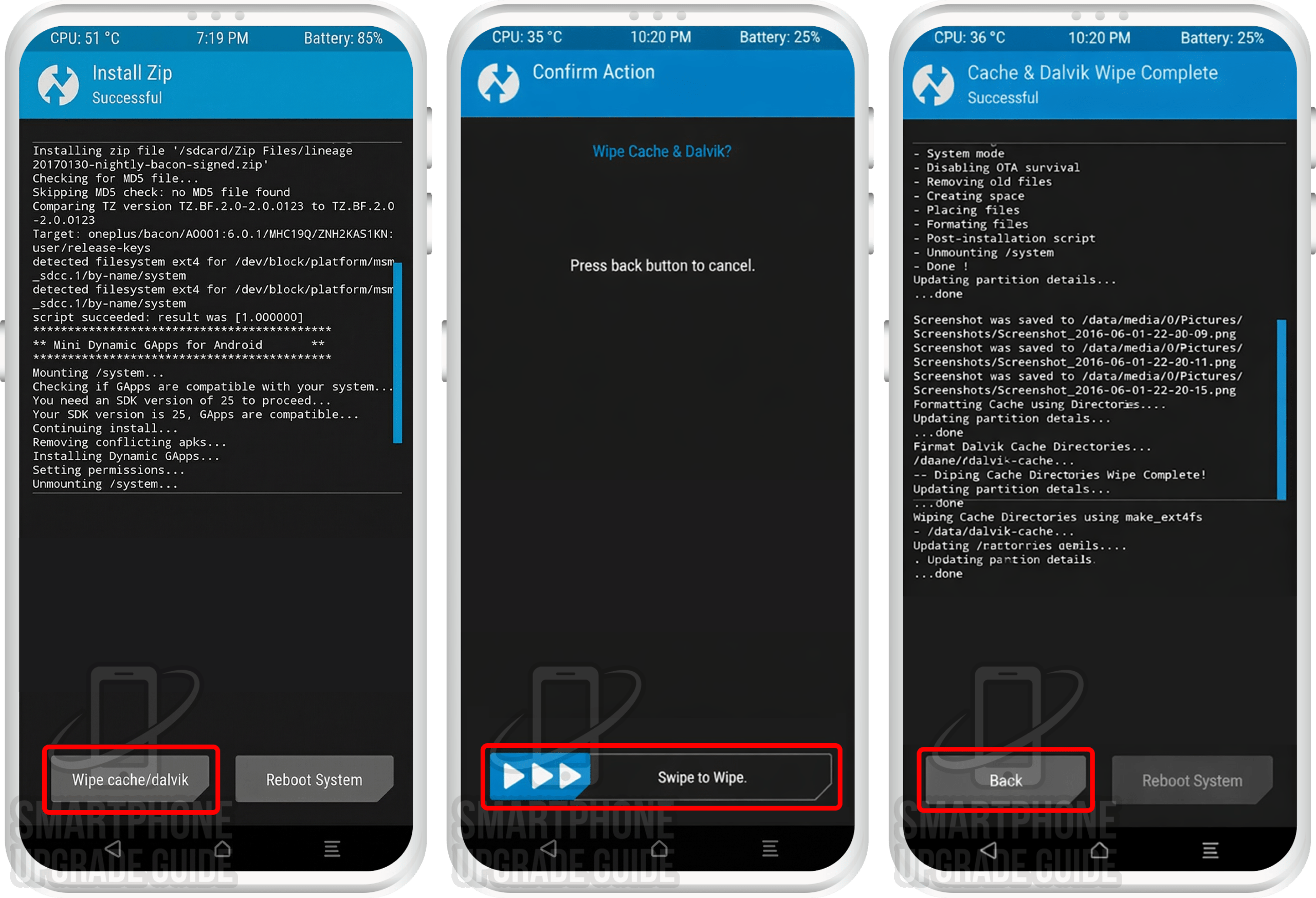
9. After Gapps flashing completes, Select Wipe cache/dalvik from the bottom left side of the screen, & Swipe to Wipe.
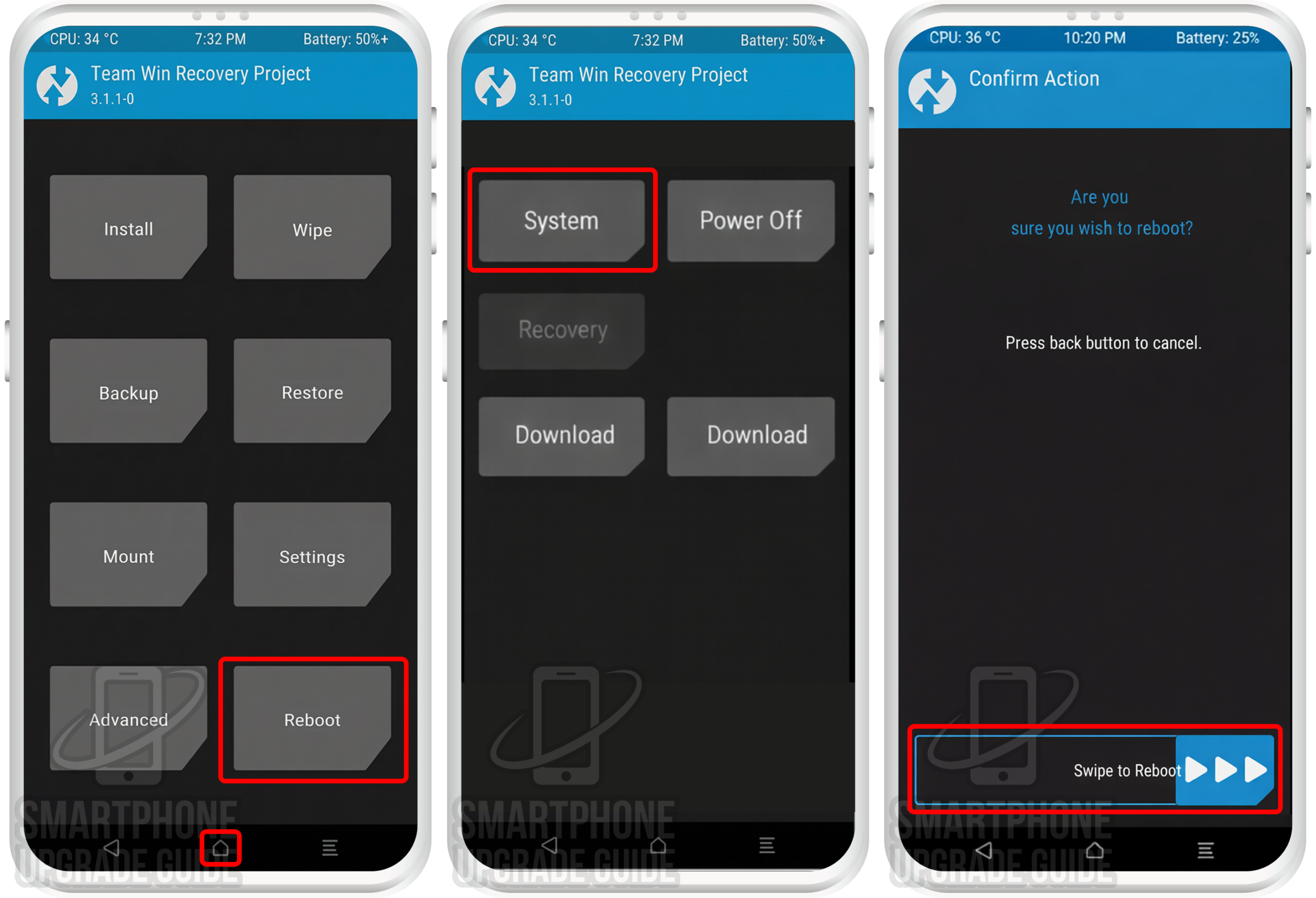
[the_ad id=”193″]
10. After wipe completes, Click on Reboot System.
[the_ad id=”6714″]
That’s it Now you have successfully installed the latest Android on your device, the first boot will take some time so please don’t panic!
If you have any questions regarding the ROM or the installation process, use the comments section below to reach us or contact to XDA forum members from the link above.